
Last updated: October 31, 2026
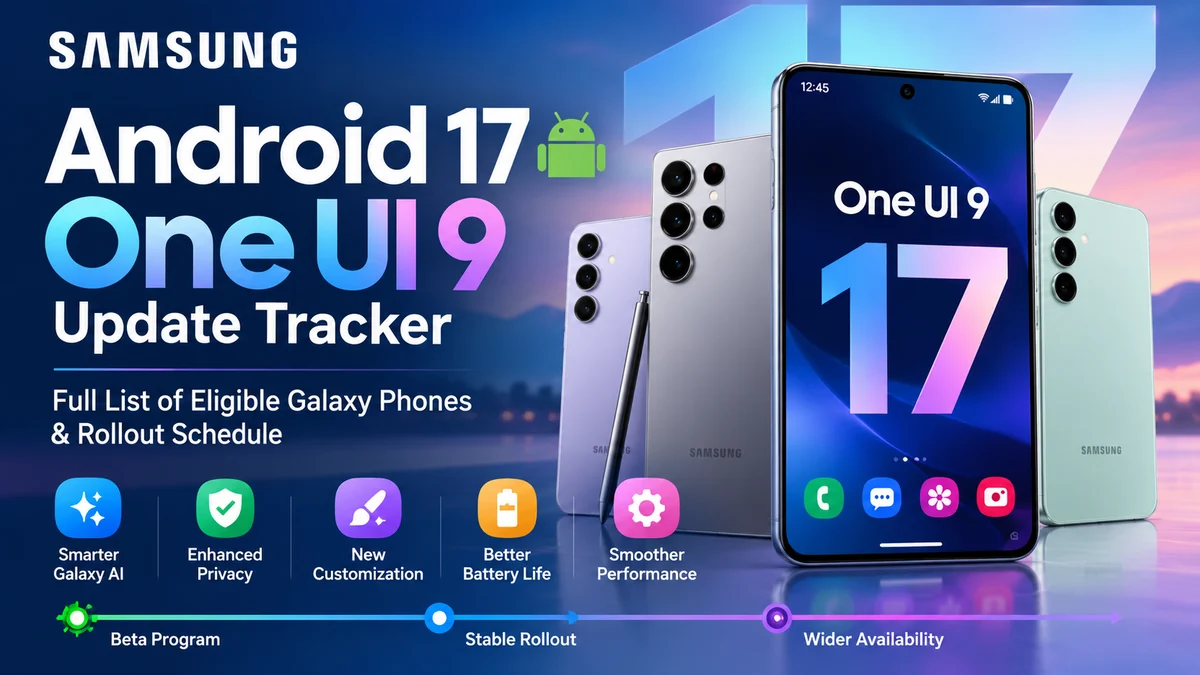
Samsung is rolling out Google’s Android 17 across its Galaxy phones and tablets under its newest custom interface: Samsung One UI 9. This major software upgrade brings smoother system animations, expanded Galaxy AI tools that work offline, smarter lock-screen widgets, and better battery health protection.
After several rounds of One UI 9 Beta testing in India, South Korea, the US, and Europe, Samsung has begun its first stable One UI 9 (Android 17) rollout starting in late October 2026, led by the flagship Galaxy S26 series and its latest foldables.
If you own a Galaxy S flagship, a Z Fold or Flip, or a mid-range Galaxy A, M, or F series phone in India or global markets, the update will reach your phone in phased batches. Here is the complete release schedule, top new features, and the verified list of eligible Samsung devices.
Quick Answer: What You Need to Know
| Question | Direct Answer |
|---|---|
| What is Samsung's Android 17 update called? | Samsung One UI 9 |
| When does the stable rollout start? | Stable rollout begins in late October 2026 for the Galaxy S26 series, expanding across more models in November and December 2026. |
| When will One UI 9 arrive in India? | Indian Galaxy S26 & Z Fold 8/Flip 8 users get it in November 2026, followed by S25/S24 and A-series phones from late Nov 2026 to Q1 2027. |
| Which phones get updated first? | Galaxy S26 / S26+ / S26 Ultra, Galaxy Z Fold 8, Galaxy Z Flip 8, and Galaxy S25 series. |
| Will Galaxy S24 and A55 get Android 17? | Yes. The Galaxy S24 series is backed by Samsung's 7-year OS update promise, and the Galaxy A55 carries a 4-year OS guarantee. |
| Will Galaxy S22 or A53 get Android 17? | No. Both launched on Android 12 and completed their 4 promised major OS upgrades with Android 16 (One UI 8). |
One UI 9 & Android 17 Release Schedule
Samsung rolls out major Android updates faster than almost any other manufacturer. Once the first stable build passes certification in South Korea, global and Indian carrier-unlocked devices typically receive the update within days. Flagship S and Z series models go first, followed by mid-range Galaxy A, M, and F series phones.
Samsung One UI 9 (Android 17) Rollout Timeline
Status updates automatically based on the current calendar date.
One UI 9 Beta Program (Phase 1)
Public beta registration opens in the Samsung Members app for Galaxy S26, S26+, and S26 Ultra across India, USA, UK, Germany, Poland, and South Korea.
Beta Expansion to Foldables & S25 Series
One UI 9 Beta testing expands to Galaxy Z Fold 8, Z Flip 8, Z Fold 7, Z Flip 7, and the Galaxy S25 lineup for final bug fixes.
Wave 1 Stable OTA Release
Official stable Android 17 update begins rolling out to Galaxy S26 series, Galaxy Z Fold 8 / Flip 8, and Galaxy Tab S11 series.
Wave 2: Recent Flagships & Upper Mid-Range
Stable rollout reaches Galaxy S25 & S24 series, Z Fold 7/6 & Flip 7/6, Galaxy S23 series, and top A-series models like Galaxy A56, A55, and A36.
Wave 3: Mass Rollout (Galaxy A, M, F & Tablets)
Broad OTA release across India and global markets for eligible Galaxy M-series, F-series, budget A-series phones, and Galaxy Tab A/FE tablets.
First Stable Wave (Late October – November 2026)
- Galaxy S26 / Galaxy S26+ / Galaxy S26 Ultra
- Galaxy Z Fold 8 / Galaxy Z Flip 8
- Galaxy S25 / Galaxy S25+ / Galaxy S25 Ultra / Galaxy S25 Edge / Galaxy S25 FE
- Galaxy Tab S11 / Tab S11+ / Tab S11 Ultra
What About India and Global Markets?
Unlike brands that delay global releases for months after their domestic launch, Samsung treats India (CSC code: INS) and Europe (CSC code: EUX) as priority markets. Once a stable One UI 9 build goes live in South Korea, Indian carrier-unlocked units normally receive the over-the-air (OTA) update within 3 to 10 business days.
Here is what Indian and global Galaxy owners should know:
- Samsung Members Beta Access: India is one of Samsung's seven primary beta countries. Before the stable update rolls out, users with flagship Galaxy S and Z models can test early builds via the Samsung Members app.
- Local 5G & Carrier Testing: Indian firmware builds undergo dedicated testing for Jio True 5G (Standalone SA), Airtel 5G Plus, and UPI/Samsung Wallet security before public release.
- Expected India Timeline: Stable builds for the Galaxy S26, Z Fold 8/Flip 8, and S25 series arrive between late October and November 2026, while high-volume models like the Galaxy S24, S23, A55, A56, and M/F series follow between late November 2026 and Q1 2027.
Confirmed vs. Expected: How Samsung Eligibility Works
Samsung follows transparent software support guarantees based on the year and series your device launched:
- 7-Year OS Upgrade Policy (Flagships from 2024+): Every flagship launched since early 2024—including the Galaxy S24, S25, and S26 series, Z Fold 6/7/8, Z Flip 6/7/8, and Tab S10/S11 series—is guaranteed 7 major Android OS upgrades and 7 years of security patches.
- 6-Year OS Upgrade Policy (2025–2026 Mid-Range): Samsung upgraded its mid-range commitment starting with the Galaxy A16 5G, A26, A36, A56, A57, M16, and F16, giving these affordable phones 6 generations of Android OS updates.
- 4-Year OS Upgrade Policy (2023–2024 Models): Devices like the Galaxy S23 series, Z Fold 5, Z Flip 5, Galaxy A55, A35, A54, A34, M55, M35, and F55 carry a 4-OS update guarantee. Because the Galaxy S23, Z Fold 5/Flip 5, and A54/A34 launched with Android 13, Android 17 (One UI 9) will be their 4th and final major Android upgrade.
Samsung Galaxy Android 17 (One UI 9) Compatibility Checker
Search your Galaxy phone or tablet below (or tap any card) to check One UI 9 eligibility, software policy tier, or End-of-Life (EOL) status.
Samsung Galaxy S & Z Series Eligible Devices
Samsung’s flagship Galaxy S slab phones and Galaxy Z foldables are first in line for the Android 17 / One UI 9 upgrade and receive the complete suite of on-device Galaxy AI features:
Galaxy S Series (Flagship Lineup)
- Galaxy S26 / Galaxy S26+ / Galaxy S26 Ultra (First in Line)
- Galaxy S25 / Galaxy S25+ / Galaxy S25 Ultra / Galaxy S25 Edge / Galaxy S25 FE
- Galaxy S24 / Galaxy S24+ / Galaxy S24 Ultra / Galaxy S24 FE
- Galaxy S23 / Galaxy S23+ / Galaxy S23 Ultra / Galaxy S23 FE (4th & Final Major OS Upgrade)
Galaxy Z Fold & Flip Series (Foldables)
- Galaxy Z Fold 8 / Galaxy Z Flip 8 (First in Line)
- Galaxy Z Fold 7 / Galaxy Z Flip 7 / Galaxy Z Flip 7 FE
- Galaxy Z Fold 6 / Galaxy Z Flip 6 / Galaxy Z Fold Special Edition
- Galaxy Z Fold 5 / Galaxy Z Flip 5 (4th & Final Major OS Upgrade)
Samsung Galaxy A Series Eligible Devices
The Galaxy A series accounts for Samsung's largest user base in India and worldwide. With newer A-series phones now backed by a 6-year OS update promise, a wide range of mid-range models will receive One UI 9:
Galaxy A50 & A30 Series (Upper Mid-Range)
- Galaxy A57 5G / Galaxy A37 5G
- Galaxy A56 5G / Galaxy A36 5G
- Galaxy A55 5G / Galaxy A35 5G
- Galaxy A54 5G / Galaxy A34 5G (Final Major OS Upgrade)
Galaxy A20, A10 & A00 Series (Budget & Everyday)
- Galaxy A27 5G / Galaxy A17 5G
- Galaxy A26 5G / Galaxy A16 5G / Galaxy A16 4G
- Galaxy A25 5G / Galaxy A15 5G / Galaxy A15 4G
- Galaxy A07 / Galaxy A06 (4G & 5G)
Note on Galaxy A05 & A05s: Because the entry-level Galaxy A05 and A05s launched with Android 13 under a 2-generation OS update policy, their major OS support ended with Android 15. They will not receive Android 17.
Samsung Galaxy M, F & Tab Series Eligible Devices
Popular across Amazon and Flipkart in India, the Galaxy M and F series share internal hardware with their Galaxy A counterparts and follow the same One UI 9 upgrade path:
Galaxy M Series
- Galaxy M56 5G / Galaxy M36 5G / Galaxy M16 5G / Galaxy M06 5G
- Galaxy M55 5G / Galaxy M55s 5G / Galaxy M35 5G / Galaxy M15 5G
- Galaxy M54 5G / Galaxy M34 5G (Final Major OS Upgrade)
Galaxy F Series
- Galaxy F56 5G / Galaxy F36 5G / Galaxy F16 5G / Galaxy F06 5G
- Galaxy F55 5G / Galaxy F35 5G / Galaxy F15 5G
- Galaxy F54 5G / Galaxy F34 5G (Final Major OS Upgrade)
Galaxy Tablets & Rugged XCover Series
- Galaxy Tab S11 / Tab S11+ / Tab S11 Ultra
- Galaxy Tab S10+ / Tab S10 Ultra / Tab S10 FE / Tab S10 FE+
- Galaxy Tab S9 / Tab S9+ / Tab S9 Ultra / Tab S9 FE / Tab S9 FE+
- Galaxy Tab A11 / Galaxy Tab Active 5 / Galaxy XCover 7
Samsung Pre-Update Checklist
Complete these 4 steps before tapping "Install" to prevent screen heat issues, app crashes, or lost data:
Spotlight: Will Galaxy S24, S23, and Galaxy A55 Get Android 17?
Yes—the Galaxy S24 series, Galaxy S23 series, and Galaxy A55 5G are all confirmed to get Android 17 (One UI 9).
However, each phone sits at a very different point in its official update roadmap:
- Galaxy S24 / S24+ / S24 Ultra (7-Year Policy): Debuted on Android 14 with 7 promised OS upgrades. Android 17 is only its 3rd major OS upgrade, with support continuing all the way through Android 21 (2031).
- Galaxy A55 5G & A35 5G (4-Year Policy): Launched on Android 14 with 4 major OS upgrades. Android 17 is their 3rd major upgrade, meaning they will also get Android 18 next year.
- Galaxy S23 / S23+ / S23 Ultra (4-Year Policy): Launched on Android 13 in early 2023. Android 17 (One UI 9) is the 4th and final major OS update for the S23 series, after which it will transition to security updates until 2028.
What about the Galaxy S22 and S21 FE?
The Galaxy S22 series, Galaxy S21 FE, and Galaxy A53 5G all shipped out of the box with Android 12 under a 4-year OS policy. Having received Android 13, 14, 15, and 16 (One UI 8), they will not receive Android 17.
What’s New in Samsung One UI 9 (Android 17)?
Combining Google’s Android 17 core upgrades with Samsung's latest interface refinements, One UI 9 focuses on everyday smoothness, battery longevity, and practical AI tools:
- Expanded Now Bar & Live Activities: Interactive real-time status pills on your lock screen and status bar for Zomato/Swiggy deliveries, Uber/Ola rides, Google Maps directions, live cricket scores, and voice recordings.
- Conversational Bixby + Galaxy AI: Powered by on-device language models, you can give natural multi-step commands—like finding a PDF ticket in your files and sharing it on WhatsApp—without needing an internet connection.
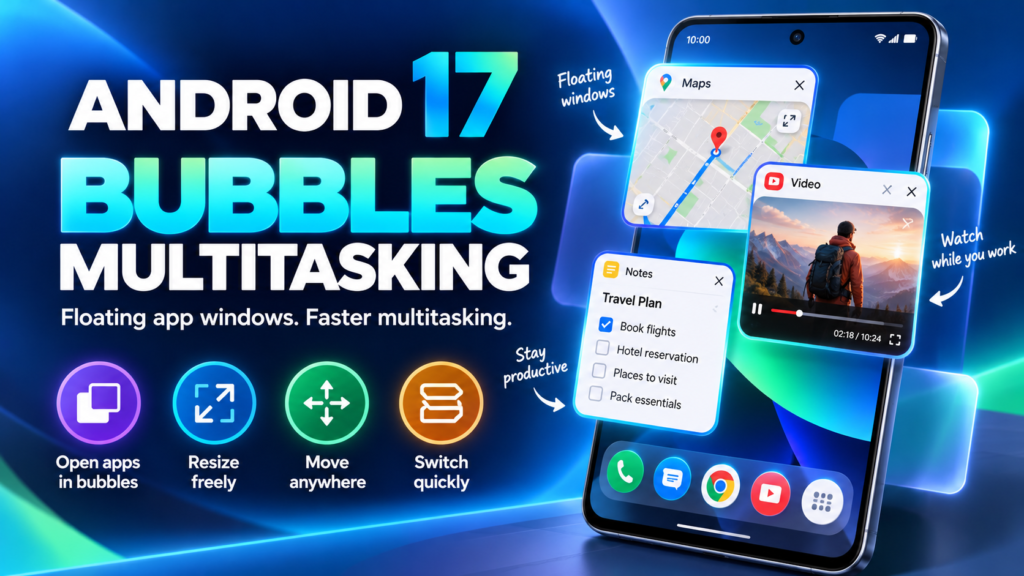
- Zero-Drop Fluid Animations: Rebuilt gesture physics make swiping between heavy apps, pulling down the Quick Panel, and resizing split-screen windows noticeably smoother.
- Adaptive Battery Health 2.0: Learns your sleeping and charging habits to hold battery charge at 80% overnight and cuts idle background drain by up to 12% on both Snapdragon and Exynos processors.
- Built-In App Lock & Stronger Auto Blocker: Lock individual apps like Gallery or WhatsApp with your fingerprint directly from Settings without moving them into Secure Folder, alongside upgraded protection against malicious APK files.

Important: Full One UI 9 vs. "Awesome Intelligence" vs. Basic Builds
Even when two Samsung phones both receive the One UI 9 (Android 17) update, the exact features inside the update depend on your phone's processor and hardware tier:
- Flagship One UI 9 (Galaxy S & Z Series): Includes the complete Galaxy AI suite (Live Translate, Sketch to Image, Generative Photo Edit, Audio Eraser, and Instant Slow-Mo), Samsung DeX, and full Good Lock support.
- Mid-Range One UI 9 (Galaxy A56, A55, A36, A35): Features Samsung's "Awesome Intelligence" pack—including Circle to Search, Object Eraser, Best Face, and AI Smart Select—while omitting heavy NPU-dependent tools like Live Call Translation.
- Budget One UI 9 (Galaxy A1x, A0x, M & F Budget Series): Delivers the core Android 17 visual redesign, privacy dashboard, and battery optimizations, but excludes heavy AI modules, Samsung DeX, and certain Good Lock plugins so phones with 4GB or 6GB RAM stay fast.
How to Check and Install the One UI 9 Update
Your phone will show a push notification once the One UI 9 OTA reaches your serial batch. You can also check manually at any time:
- Open your phone's Settings.
- Scroll down and tap Software update.
- Tap Download and install.
- If the One UI 9 package appears, tap Download and then Install now.
“📢 Beta Tester Notice: One UI 9 Beta builds available through the Samsung Members app are meant for early testing. If you rely on your Galaxy phone for banking or daily work, we recommend waiting for the official Stable OTA release.”
Samsung One UI 9 Beta Enrollment & Rollback Guide
Register for the official One UI 9 Beta via Samsung Members or downgrade safely to Stable One UI 8 using Smart Switch PC.
Rolling back from One UI 9 Beta to Stable One UI 8 via Samsung Smart Switch PC completely wipes internal data (Factory Reset). Additionally, if flashing stock firmware manually via Odin, verify that the Bootloader Binary (Bit/SW REV) of the older ROM matches your current build—Samsung Knox blocks downgrading to a lower bootloader binary.
Galaxy S26 / S26+ / Ultra
CSC Regions: INS (India), EUX, XAA, KOOGalaxy S25 / S25+ / Ultra
CSC Regions: INS (India), EUX, XAA, KOOGalaxy Z Fold 8 & Z Flip 8
Unlocked Models (INS / Global)Galaxy S24 / S24+ / Ultra
Stable Wave 2 / Late BetaHow to Join One UI 9 Beta or Rollback to Stable Software:
- Enroll in One UI 9 Beta (Over-the-Air): Open the Samsung Members app → Sign in with your Samsung Account → Tap the Notices (bell icon) or look for the "One UI 9 Beta Program" banner → Tap Register → Wait 5 minutes, then head to Settings → Software update → Download and install.
- Rollback to Stable One UI 8 (Smart Switch PC Method): Open Samsung Members → One UI Beta Program Status → Withdraw → Install Samsung Smart Switch on your Windows PC or Mac → Connect your phone via USB cable and click Downgrade on your computer screen.
Frequently Asked Questions (FAQs)
When will Samsung One UI 9 (Android 17) release in India?
Samsung begins rolling out stable One UI 9 in India in late October to November 2026 for the Galaxy S26 series, Z Fold 8, Z Flip 8, and Galaxy S25 series. Popular models like the Galaxy S24, S23, A56, A55, and M/F series will receive the update in phases between late November 2026 and Q1 2027.
Will the Samsung Galaxy S22, S21 FE, or Galaxy A53 get Android 17?
No. The Galaxy S22 series, S21 FE, and Galaxy A53 5G all launched with Android 12 under Samsung's 4-generation OS upgrade policy. Their major OS upgrades concluded with Android 16 (One UI 8), though they will still receive scheduled security patches.
Does updating to One UI 9 cause a green line on Samsung screens?
Software updates do not directly damage displays, but excessive heat during installation can stress older AMOLED display flex cables. Always let your phone cool down, remove thick cases, and avoid fast-charging while installing a major One UI update.
Will Samsung Knox or banking apps stop working if I install the One UI 9 Beta?
Official One UI Beta updates installed through the Samsung Members app are digitally signed by Samsung and do not trip the physical Knox security fuse (0x0). However, some banking or tap-to-pay apps may temporarily restrict access on early beta builds until stable firmware is installed.
What should I do if my Samsung update gets stuck or fails?
If an OTA download gets stuck, restart your phone or connect it to a PC running Samsung Smart Switch to install the update cleanly via USB. If your phone experiences a bootloop, visit an authorized Samsung Service Center.