πŸ“Ί Samsung Smart TV (Tizen OS) 🏷️ UA43F5550FUXXL

Samsung 1.08 m (43) Full HD F5550 Smart TV Downloads & Support Hub

Verified support repository for Samsung 1.08 m (43) Full HD F5550 Smart TV (UA43F5550FUXXL) providing 3 database-indexed packages (1 Firmware Package, 2 User Manuals), supporting Tizen. All packages are verified with SHA-256 cryptographic signatures.
Operating System Samsung Tizen OS
Upgrade Channel USB Flash / OTA Network
Verification Protocol SHA-256 Matched
Repository Index 3 Files Available
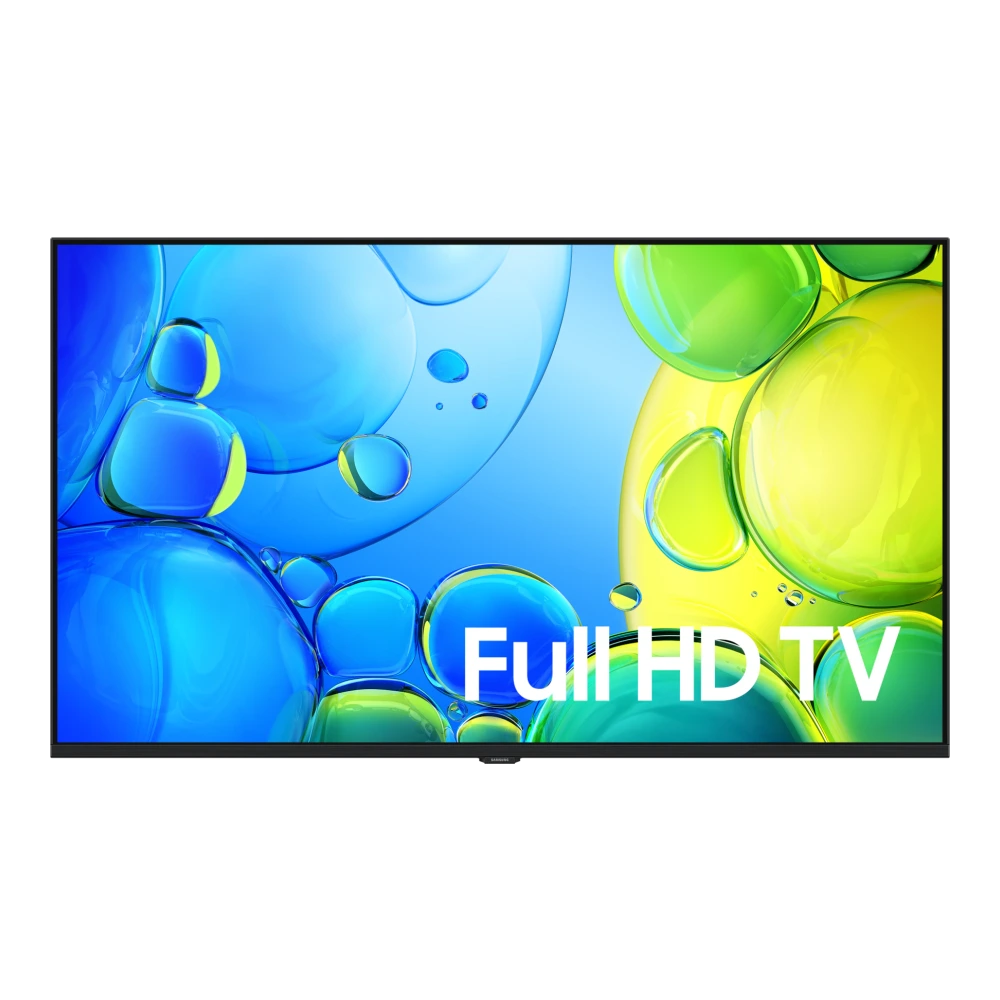
Samsung 1.08 m (43) Full HD F5550 Smart TV (UA43F5550FUXXL) authentic hardware render for software, driver, and manual downloads
βœ“ Verified Hardware Profile
πŸ“–

Device Overview & Setup Guide

Hardware profile, setup guide, and verified resources for Samsung 1.08 m (43) Full HD F5550 Smart TV
βœ“ Verified Device Guide

Engineered for rich contrast and lifelike visual clarity, the 1.08 m (43) Full HD F5550 Smart TV (model UA43F5550FUXXL) combines a Smart TV panel with HDR dynamic range processing. Powered by the Hyper Real, it intelligently adapts brightness and tone mapping to match ambient lighting conditions and fast-moving on-screen action.

The onboard Tizenβ„’ operating system delivers an intuitive navigation hub featuring built-in voice assistance, multi-device screen casting, and free live channels through Samsung TV Plus. With 2 HDMI ports (supporting eARC and high frame rate gaming) alongside 1 USB multimedia ports, connecting external audio systems, cable set-top boxes, and high-speed streaming devices is straightforward and reliable.

Access verified documentation, e-manuals, and official USB firmware update packages below to calibrate picture settings and maintain your 1.08 m (43) Full HD F5550 Smart TV.

πŸ“¦ Available Download Packages

Filter software packages by technical component category:

Showing all 3 packages
⚑ TV Firmware IN

Upgrade File(USB type),MAIN (T-RSSFDUABC.zip)

Build: 1395.9 β€’ Samsung Smart TV (Tizen OS) β€’ Size: 1 GB β€’ Date: Aug 2025
PDF Manual IN

User Manual (English)

Version: 250319 β€’ Universal β€’ Size: 266 KB β€’ Date: May 2025
PDF Manual IN

User Manual (English)

Version: 2501220 β€’ Universal β€’ Size: 133 KB β€’ Date: May 2025
βœ“ Official Samsung Profile 🏷️ SKU: UA43F5550FUXXL πŸ“… Released: April 28th, 2025

πŸ“‹ Samsung 1.08 m (43) Full HD F5550 Smart TV Technical Specifications

Authoritative technical specifications, performance metrics, and regulatory hardware details indexed directly from Samsung Electronics official servers (15 technical domains, 49 verified attributes).

🧠 Picture Engine
Hyper Real
πŸ”Š Audio Output
20W 2CH Q-Symphony
🌐 Smart Platform
Tizenβ„’ Smart TV
πŸ”Œ Inputs & Ports
2x HDMI, 1 x USB-A
πŸ“Œ Product Type
LED
πŸ“Œ Screen Size
1.08 m
🎬 Quantum HDR Picture Processing πŸ”Š Dolby Atmos & Q-Symphony Sound 🌐 Tizenβ„’ Smart TV Platform
Showing all 15 categories

πŸ“Ί Display

2
Screen Size 1.08 m
Resolution FHD (1,920 x 1,080)

🎬 Video

5
Picture Engine Hyper Real
HDR (High Dynamic Range) HDR
HDR 10+ Support
Contrast Mega Contrast
Contrast Enhancer Yes

🌐 Smart Service

6
Operating System Tizenβ„’ Smart TV
Bixby Yes
Works with AI Speaker Alexa (IN Only), Google Assistant (IN Only)
Samsung TV Plus Yes
SmartThings Hub / Matter Hub / IoT-Sensor Functionality / Quick Remote Quick Remote only
Universal Guide Yes (India Only)

πŸ“¦ Accessory

3
Remote Controller Model TM2280A
User Manual Yes
Power Cable Yes

πŸ“Œ Product Type

1
Product Type LED

πŸ“Œ Tuner/Broadcasting

2
Digital Broadcasting DVB-T2CS2
Analog Tuner Yes

πŸ“Œ Accessibility

1
Accessibillity - Voice Guide English (UK)

πŸ“Œ Power & Eco Solution

3
Power Supply AC220-240V~ 50/60Hz
Power Consumption (Max) 85 W
Energy Efficiency Class 5

πŸ”Œ Connectivity

5
Bluetooth Yes
HDMI 2
HDMI Audio Return Channel eARC
USB 1 x USB-A
RF In (Terrestrial / Cable input) 1/1(Common Use for Terrestrial)/1

πŸ”Š Audio

5
Object Tracking Sound OTS Lite
Q-Symphony Yes
Sound Output (RMS) 20W
Speaker Type 2CH
Adaptive Sound Yes

🎨 Design

5
Design Slim Look
Bezel Type 3 Bezel-less
Front Colour BLACK
Stand Type MINI ARC
Stand Color BLACK

πŸ“ Dimension

4
Package Size (WxHxD) 1.07 m x 64.60 cm x 12.80 cm
Set Size with Stand (WxHxD) N/A x N/A x N/A
Set Size without Stand (WxHxD) 95.55 cm x 56.09 cm x 7.87 cm
VESA Spec 20 cm x 20 cm

πŸ“Œ Smart Feature

2
Multi Device Experience Mobile to TV, Sound Mirroring, Wireless TV On
Apple AirPlay Yes

πŸ“Œ Additional Feature

2
EPG Yes
IP Control Yes

βš–οΈ Product Weight

3
Package Weight 8.6 kg
Set Weight with Stand N/A kg
Set Weight without Stand 5.9 kg
🏭 Manufacturer, Regulatory & Import Information
Manufactured by TTE Electronics India Private Limited Vikruthamala Village, Papanaidupeta Post, Yerpedu Mandal, Chittoor, Tirupati- 517526
Country of Origin India
Imported by Samsung India Electronics Pvt. Ltd. having its Registered Office at: 6th Floor, DLF Centre, Sansad Marg, New Delhi-110001
Contact us For All Product Related Complaints/assistance, please contact Manager, Customer Care Samsung India Electronics Pvt. Ltd., 6th Floor, DLF Centre, Sansad Marg, New Delhi - 110001 Email us at: support.india@samsung.com Tel (Toll Free): 1800 40 7267864 (1800 40 SAMSUNG)
Launch date April 28th, 2025
ℹ️ Official Specification Footnotes, IEC Standards & Network Disclaimers
Images shown here are for representational purpose only, actual may vary. All features, specifications and prices are subject to change without prior notice. Model availability may vary from location to location.

πŸ› οΈ 1.08 m (43) Full HD F5550 Smart TV Diagnostics & Maintenance Guide

Hardware maintenance procedures, USB firmware flashing steps, and Smart Hub self-diagnosis for your Samsung Smart TV:

⚑ USB Firmware Upgrade Procedure (Tizen OS)

  1. Format a USB flash drive (8 GB – 32 GB) to FAT32 on your computer.
  2. Download the verified firmware ZIP from the repository table above.
  3. Extract the update folder directly to the root of the USB drive (do not place in subfolders).
  4. Insert the drive into the port marked USB (HDD) on your 1.08 m (43) Full HD F5550 Smart TV.
  5. Go to Settings > Support > Software Update > Update Now and select Yes to search USB.

πŸ“Ί Hardware Self Diagnosis (Picture & Sound Test)

  1. Press the Home button on your remote and open Settings.
  2. Navigate to Support > Device Care > Self Diagnosis.
  3. Run Picture Test to inspect for panel banding, backlight bleeding, or dead pixels.
  4. Run Sound Test to verify stereo speaker calibration or eARC soundbar pass-through.
  5. Check Signal Information for HDMI handshake integrity and antenna SNR levels.

πŸ”„ Smart Hub Reset & Power Cycle

  • Reset Smart Hub: Go to Settings > Support > Device Care > Self Diagnosis > Reset Smart Hub (PIN: 0000). Clears app stalls without wiping display settings.
  • Factory Reset: Go to Settings > General & Privacy > Reset to return to initial out-of-box setup.
  • Remote Cold Reboot: With the TV powered ON, hold the Power button on the remote for 5 seconds until the TV turns off and the boot logo reappears.

❓ Frequently Asked Questions for 1.08 m (43) Full HD F5550 Smart TV

How do I install USB firmware updates on 1.08 m (43) Full HD F5550 Smart TV?

Format a USB flash drive (FAT32), download the verified ZIP from the table above, extract it to the root of the USB drive, insert it into the TV's USB (HDD) port, and navigate to Settings > Support > Software Update > Update Now.

Where can I find user manuals and e-Manuals for 1.08 m (43) Full HD F5550 Smart TV?

All verified User Manuals, e-Manuals, Remote Control guides, and Quick Setup Guides are listed in the package table above. You can read them directly in the browser or download the verified PDF.

How do I run picture and sound diagnostics on 1.08 m (43) Full HD F5550 Smart TV?

Press the Home button on your Samsung SolarCell remote, select Settings > Support > Device Care > Self Diagnosis, then choose 'Picture Test' or 'Sound Test' to evaluate panel and speaker health.

How do I reset Smart Hub if apps freeze or refuse to load?

Go to Settings > Support > Device Care > Self Diagnosis > Reset Smart Hub and enter your PIN (default is 0000). This clears app cache and network sockets without erasing your picture calibrations.

Hardware & Repair Support

Need Hardware Replacement for 1.08 m (43) Full HD F5550 Smart TV?

Compare original display panel, power supply board, main board, and remote replacement prices with standard labor tariffs, or locate an authorized walk-in Samsung service center in your city.

Authorized Repair Network

Ready to Repair 1.08 m (43) Full HD F5550 Smart TV?

Find verified Samsung service centers across 646+ Indian cities with genuine OEM parts inventory, express turnaround, and in-warranty zero-cost claims.

Popular Service Cities: Delhi β€’ Mumbai β€’ Bengaluru β€’ Kolkata β€’ Chennai β€’ Hyderabad β€’ Ahmedabad β€’ Pune
Disclaimer: This website is an independent technical resource providing verified software packages, documentation, and flashing guides for Samsung devices. Samsung, Galaxy, and associated model trademarks belong to Samsung Electronics Co., Ltd. This site is an independent portal and is not affiliated with, sponsored by, or endorsed by Samsung Electronics.