πŸ“Ί Samsung Smart TV (Tizen OS) 🏷️ UA43MU6470ULXL

Samsung 108cm (43) UHD 4K Smart TV MU6470 Series 6 Downloads & Support Hub

Verified support repository for Samsung 108cm (43) UHD 4K Smart TV MU6470 Series 6 (UA43MU6470ULXL) providing 3 database-indexed packages (1 Firmware Package, 2 User Manuals), supporting Tizen. All packages are verified with SHA-256 cryptographic signatures.
Operating System Samsung Tizen OS
Upgrade Channel USB Flash / OTA Network
Verification Protocol SHA-256 Matched
Repository Index 3 Files Available
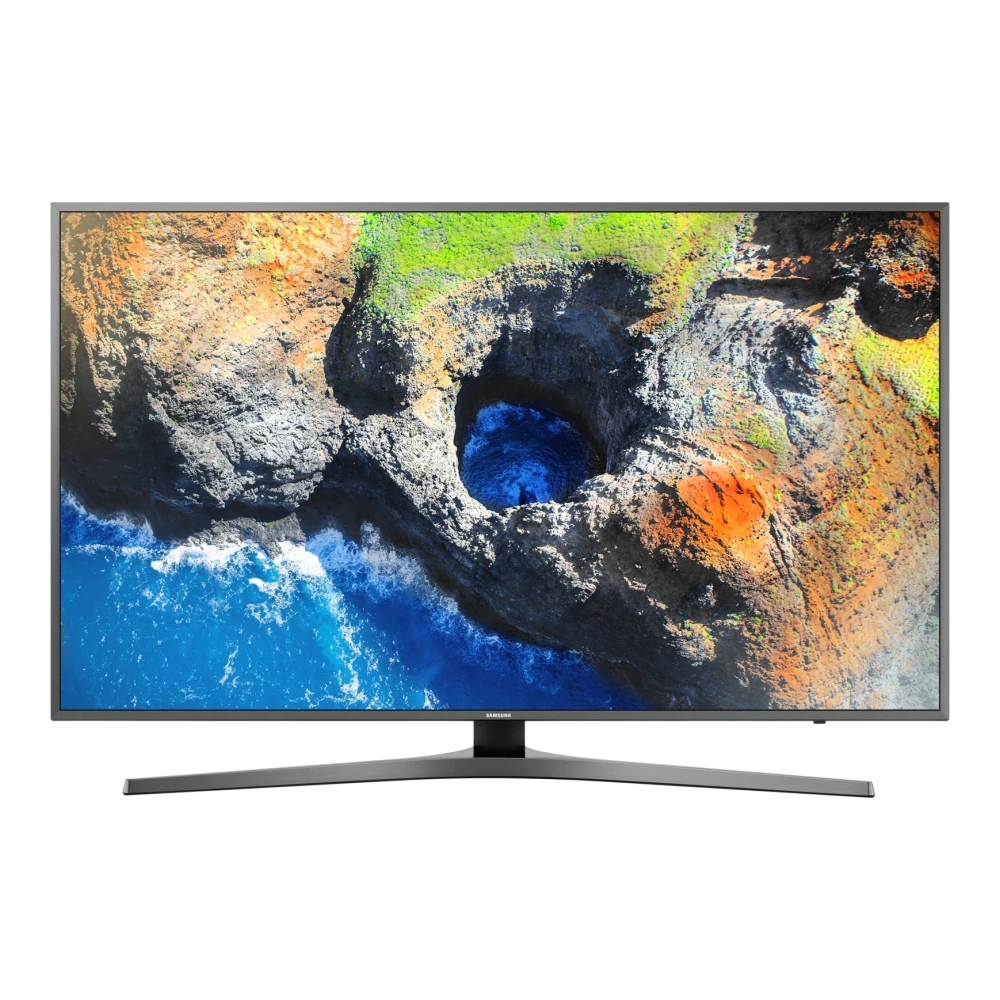
Samsung 108cm (43) UHD 4K Smart TV MU6470 Series 6 (UA43MU6470ULXL) authentic hardware render for software, driver, and manual downloads
βœ“ Verified Hardware Profile
πŸ“–

Device Overview & Setup Guide

Hardware profile, setup guide, and verified resources for Samsung 108cm (43) UHD 4K Smart TV MU6470 Series 6
βœ“ Verified Device Guide

With its expansive 43-inch Smart TV screen and 20W 2CH (Down Firing w/Bass Reflex) channel sound system, the 108cm (43) UHD 4K Smart TV MU6470 Series 6 (model UA43MU6470ULXL) delivers a theater-grade entertainment centerpiece. Samsung's UHD Up-Scaling works alongside advanced acoustic tracking to produce crisp dialogue, wide surround staging, and natural depth.

Running on Samsung's Tizenβ„’ Smart TV platform, this model provides instant access to popular streaming services, cloud gaming via Samsung Gaming Hub, and unified home automation through SmartThings. Physical connectivity is anchored by 3 HDMI ports (supporting eARC and high frame rate gaming) alongside 2 USB multimedia ports, allowing effortless hookup for modern soundbars, AV receivers, and next-gen gaming consoles.

Explore the verified repository below to find official Samsung user manuals, wall-mount installation guides, and USB firmware packages for model UA43MU6470ULXL.

πŸ“¦ Available Download Packages

Filter software packages by technical component category:

Showing all 3 packages
⚑ TV Firmware IN

Upgrade File(USB type),MAIN (T-KTMUABC.zip)

Build: 1410.1 β€’ Samsung Smart TV (Tizen OS) β€’ Size: 1 GB β€’ Date: May 2026
PDF Manual IN

User Manual (English)

Version: 00 β€’ Universal β€’ Size: 870 KB β€’ Date: Nov 2019
PDF Manual IN

User Manual (English)

Version: 3.1.2 β€’ Universal β€’ Size: 13 MB β€’ Date: Jan 2018
βœ“ Official Samsung Profile 🏷️ SKU: UA43MU6470ULXL

πŸ“‹ Samsung 108cm (43) UHD 4K Smart TV MU6470 Series 6 Technical Specifications

Authoritative technical specifications, performance metrics, and regulatory hardware details indexed directly from Samsung Electronics official servers (15 technical domains, 81 verified attributes).

πŸ“Ί Display
43" 4K UHD
🧠 Picture Engine
UHD Up-Scaling
πŸ”Š Audio Output
20W 2CH (Down Firing w/Bass Reflex)
πŸ”Œ Inputs & Ports
3x HDMI, 2x USB
πŸ“Œ Series
6
πŸ“Œ Active Crystal Color
Yes
🎬 Quantum HDR Picture Processing
Showing all 15 categories

πŸ“Ί Display

2
Screen Size 43"
Resolution 3,840 Γ— 2,160

🎬 Video

8
Picture Engine UHD Up-Scaling
PQI (Picture Quality Index) 1,500
HDR (High Dynamic Range) HDR
Dynamic Contrast Ratio Mega Contrast
Active Crystal Color Yes
Contrast Enhancer Yes
Auto Motion Plus Yes
Film Mode Yes

🌐 Smart Service

3
Voice Interaction UK English
Samsung Connect Yes
Smart View Yes

πŸ“¦ Accessory

9
Remote Controller Model TM1750A
Battery Chemistry (for Remote Control) Yes
Samsung Smart Control (Included) Yes
Mini Wall Mount Support Yes
Vesa Wall Mount Support Yes
User Manual Yes
E-Manual Yes
Power Cable Yes
Slim Gender Cable Yes

πŸ“Œ Series

1
Series 6

πŸ“Œ Differentiation

4
S-Share Yes (India Only)
Sound Mirroring Yes
Dongle Compatibility (3G / LTE / WiFi) Yes (IN Only)
Analog Clean View Yes

πŸ“Œ Additional Feature

17
Processor Quad-Core
Accessibility Voice guide (AU English) /Enlarge/High contrast/Learn TV Remote (AU English) /Multi-output Audio
Ultra Clean View Yes
Digital Clean View Yes
Auto Channel Search Yes
Connect Shareβ„’ (HDD) Yes
ConnectShareβ„’ (USB 2.0) Yes
Connect Shareβ„’ Transfer Yes
Embeded POP Yes
EPG Yes
Extended PVR Yes
Game Mode Yes
OSD Language Local Languages
BT HID Built-in Yes
USB HID Support Yes
Teletext (TTX) Yes
Time Shift Yes

πŸ”Œ Connectivity

9
HDMI 3
USB 2
Component In (Y/Pb/Pr) 1
Composite In (AV) 1 (Common Use for Component Y)
Digital Audio Out (Optical) 1
RF In (Terrestrial / Cable input) 1/1 (Common Use for Terrestrial) /1
CI Slot 1
HDMI A / Return Ch. Support Yes
HDMI Quick Switch Yes

πŸ”Š Audio

6
Dolby Digital Plus Yes
DTS Codec Yes
Sound Output (RMS) 20W
Speaker Type 2CH (Down Firing w/Bass Reflex)
Multiroom Link Yes
Blutooth Audio Yes

🎨 Design

5
Design Chamfer
Bezel Type VNB
Slim Type Slim
Front Colour Dark Titan
Stand Type Y-Shape

πŸ“ Dimension

3
Package Size (WxHxD) 1100.0 x 634.0 x 165.0 mm
Set Size with Stand (WxHxD) 966.8 x 564.2 x 304.0 mm
Set Size without Stand (WxHxD) 966.8 x 619.0 x 55.0 mm

πŸ“Œ Smart Feature

5
TV to Mobile - Mirroring Yes
Mobile to TV - Mirroring, DLNA Yes
360 Video Player Yes
Bluetooth Low Energy Yes
WiFi Direct Yes

πŸ“Œ Tuner/Broadcasting

3
Digital Broadcasting DVB-T2S2
Analog Tuner Yes
CI (Common Interface) CI+ (1.3)

πŸ“Œ Power & Eco Solution

3
Power Supply AC100-240V 50/60Hz
Power Consumption (Max) 130 W
Eco Sensor Yes

βš–οΈ Product Weight

3
Package Weight 15.3 kg
Set Weight with Stand 12.2 kg
Set Weight without Stand 10.5 kg
ℹ️ Official Specification Footnotes, IEC Standards & Network Disclaimers
* Images shown here are for representational purpose only, actual may vary. All features, specifications and prices are subject to change without prior notice. Model availability may vary from location to location. Design concept only

πŸ› οΈ 108cm (43) UHD 4K Smart TV MU6470 Series 6 Diagnostics & Maintenance Guide

Hardware maintenance procedures, USB firmware flashing steps, and Smart Hub self-diagnosis for your Samsung Smart TV:

⚑ USB Firmware Upgrade Procedure (Tizen OS)

  1. Format a USB flash drive (8 GB – 32 GB) to FAT32 on your computer.
  2. Download the verified firmware ZIP from the repository table above.
  3. Extract the update folder directly to the root of the USB drive (do not place in subfolders).
  4. Insert the drive into the port marked USB (HDD) on your 108cm (43) UHD 4K Smart TV MU6470 Series 6.
  5. Go to Settings > Support > Software Update > Update Now and select Yes to search USB.

πŸ“Ί Hardware Self Diagnosis (Picture & Sound Test)

  1. Press the Home button on your remote and open Settings.
  2. Navigate to Support > Device Care > Self Diagnosis.
  3. Run Picture Test to inspect for panel banding, backlight bleeding, or dead pixels.
  4. Run Sound Test to verify stereo speaker calibration or eARC soundbar pass-through.
  5. Check Signal Information for HDMI handshake integrity and antenna SNR levels.

πŸ”„ Smart Hub Reset & Power Cycle

  • Reset Smart Hub: Go to Settings > Support > Device Care > Self Diagnosis > Reset Smart Hub (PIN: 0000). Clears app stalls without wiping display settings.
  • Factory Reset: Go to Settings > General & Privacy > Reset to return to initial out-of-box setup.
  • Remote Cold Reboot: With the TV powered ON, hold the Power button on the remote for 5 seconds until the TV turns off and the boot logo reappears.

❓ Frequently Asked Questions for 108cm (43) UHD 4K Smart TV MU6470 Series 6

How do I install USB firmware updates on 108cm (43) UHD 4K Smart TV MU6470 Series 6?

Format a USB flash drive (FAT32), download the verified ZIP from the table above, extract it to the root of the USB drive, insert it into the TV's USB (HDD) port, and navigate to Settings > Support > Software Update > Update Now.

Where can I find user manuals and e-Manuals for 108cm (43) UHD 4K Smart TV MU6470 Series 6?

All verified User Manuals, e-Manuals, Remote Control guides, and Quick Setup Guides are listed in the package table above. You can read them directly in the browser or download the verified PDF.

How do I run picture and sound diagnostics on 108cm (43) UHD 4K Smart TV MU6470 Series 6?

Press the Home button on your Samsung SolarCell remote, select Settings > Support > Device Care > Self Diagnosis, then choose 'Picture Test' or 'Sound Test' to evaluate panel and speaker health.

How do I reset Smart Hub if apps freeze or refuse to load?

Go to Settings > Support > Device Care > Self Diagnosis > Reset Smart Hub and enter your PIN (default is 0000). This clears app cache and network sockets without erasing your picture calibrations.

Hardware & Repair Support

Need Hardware Replacement for 108cm (43) UHD 4K Smart TV MU6470 Series 6?

Compare original display panel, power supply board, main board, and remote replacement prices with standard labor tariffs, or locate an authorized walk-in Samsung service center in your city.

Authorized Repair Network

Ready to Repair 108cm (43) UHD 4K Smart TV MU6470 Series 6?

Find verified Samsung service centers across 646+ Indian cities with genuine OEM parts inventory, express turnaround, and in-warranty zero-cost claims.

Popular Service Cities: Delhi β€’ Mumbai β€’ Bengaluru β€’ Kolkata β€’ Chennai β€’ Hyderabad β€’ Ahmedabad β€’ Pune
Disclaimer: This website is an independent technical resource providing verified software packages, documentation, and flashing guides for Samsung devices. Samsung, Galaxy, and associated model trademarks belong to Samsung Electronics Co., Ltd. This site is an independent portal and is not affiliated with, sponsored by, or endorsed by Samsung Electronics.