
Samsung 1m 63cm (65") Q900R 8K Smart QLED (QA65Q900RBKXXL) Upgrade File(USB type),MAIN (T-MSMUABC.zip) Firmware – Version 1501.1 for Samsung Smart TV (Tizen OS)
Verified firmware package package • 1 GB • Released Dec 17, 2025 • Compatible with Samsung Smart TV (Tizen OS) • Stable Production Build.
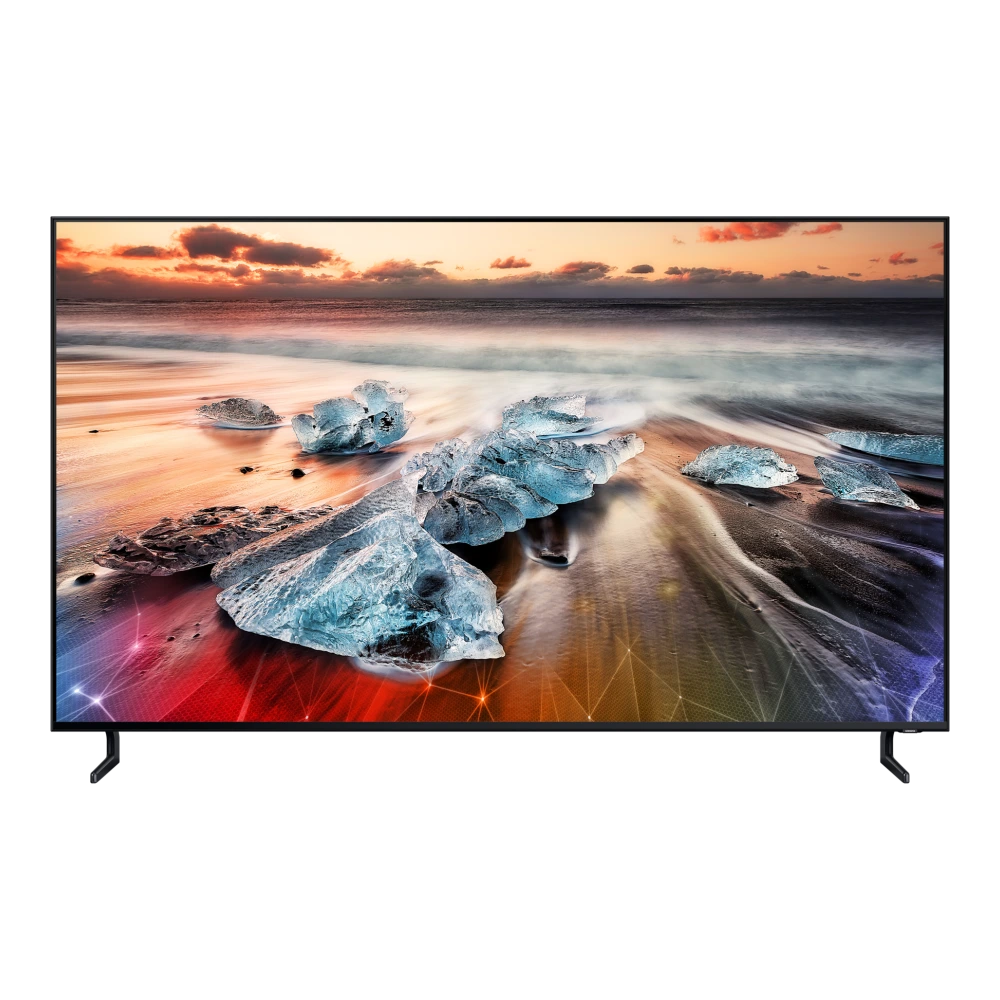
QA65Q900RBKXXLSamsung 1m 63cm (65") Q900R 8K Smart QLED
-
Model Code:
QA65Q900RBKXXL - File Package: Firmware package (v1501.1)
- Compatibility: Samsung Smart TV (Tizen OS)
- Integrity Status: ✓ Checksum & Compatibility Verified
Download verified 1m 63cm (65") Q900R 8K Smart QLED (QA65Q900RBKXXL) USB firmware update package (1501.1). This genuine Samsung Tizen OS software update provides picture engine improvements, audio processing refinements, Smart Hub stability patches, app performance optimizations, and security updates. Installable via FAT32 USB flash drive directly on your Samsung TV.
Quick flashing overview for 1m 63cm (65") Q900R 8K Smart QLED
- Format USB Drive: Prepare a USB flash drive formatted to FAT32 and extract the firmware archive directly to the root directory.
- Connect to TV: Plug the USB drive into the USB (1) or USB HDD (5V 1A) port on your 1m 63cm (65") Q900R 8K Smart QLED.
- Execute Update: On your TV remote, navigate to Settings > Support > Software Update > Update Now and select Yes to confirm USB detection.
Need the Complete Samsung TV Firmware Update Guide?
Follow our verified, in-depth tutorial with detailed visual steps, prerequisite checklists, Download Mode instructions, and solutions for common errors.
Platform Note: These instructions apply to systems running Samsung Smart TV (Tizen OS). Verify compatibility before proceeding.
Compatibility and scope
🛠️ Need Hardware Repair or Diagnostic Assistance?
If your 1m 63cm (65") Q900R 8K Smart QLED is experiencing physical damage, battery degradation, screen flickering, charging port faults, or motherboard issues that cannot be resolved through software or user manuals, contact support assistance:
Additional information
{"sdf":{"model_queried":"QA65Q900RBK","model_resolved":"QA65Q900RBKXXL","file_name":"T-MSMUABC.zip","file_id":7360169,"contents_type":"FM","file_size_mb":1507.79,"fetched_at":"2026-09-12 23:57:05"},"description":"Upgrade File(USB type),MAIN"}
Frequently asked questions
Quick AnswersWhen should I update the firmware on 1m 63cm (65") Q900R 8K Smart QLED?
Firmware updates optimize picture engine processing, expand HDMI 2.1 VRR gaming compatibility, improve Smart Hub app loading speeds, enhance eARC audio stability with soundbars, and deliver critical security patches.
How do I install this firmware update on my Samsung TV?
Format a USB flash drive to FAT32, download the firmware ZIP from this page, extract the folder to the root of the USB drive, plug it into the TV USB port, and navigate to Settings > Support > Software Update > Update Now.
Will updating TV firmware erase my apps and custom picture settings?
No. Standard USB firmware updates preserve your installed Smart Hub streaming apps, account logins, and calibrated picture/sound settings.
Download Upgrade File(USB type),MAIN (T-MSMUABC.zip)
Verified package for 1m 63cm (65") Q900R 8K Smart QLED • Version 1501.1 • Released Dec 17, 2025:
Samsung Smart TV USB Installation Guide
Follow these verified steps to upgrade firmware on your 1m 63cm (65") Q900R 8K Smart QLED using a standard USB flash drive:
Was this download helpful to you?
Experiencing Hardware Damage or Component Failure on 1m 63cm (65") Q900R 8K Smart QLED?
If firmware updates or power resets do not resolve display banding, backlight failure, or port connectivity faults, compare original panel, power supply board, and mainboard repair costs or locate an authorized Samsung service center.
Ready to Repair 1m 63cm (65") Q900R 8K Smart QLED?
Find verified Samsung service centers across 646+ Indian cities with genuine OEM parts inventory, express turnaround, and in-warranty zero-cost claims.
Looking for other versions or file types?
Browse all downloads for 1m 63cm (65") Q900R 8K Smart QLED