✓ Verified Hardware SM-E556B 🔧 Stock Rom 📅 Aug 31, 2026

Samsung Galaxy F55 5G (8GB RAM) (SM-E556B) Galaxy F55 5G (8GB RAM) Factory Stock Firmware – Version E556BXXS5DZH1 for Android 16

Verified firmware package package • 8 GB • Released Aug 31, 2026 • Compatible with Android 16 • Stable Production Build.
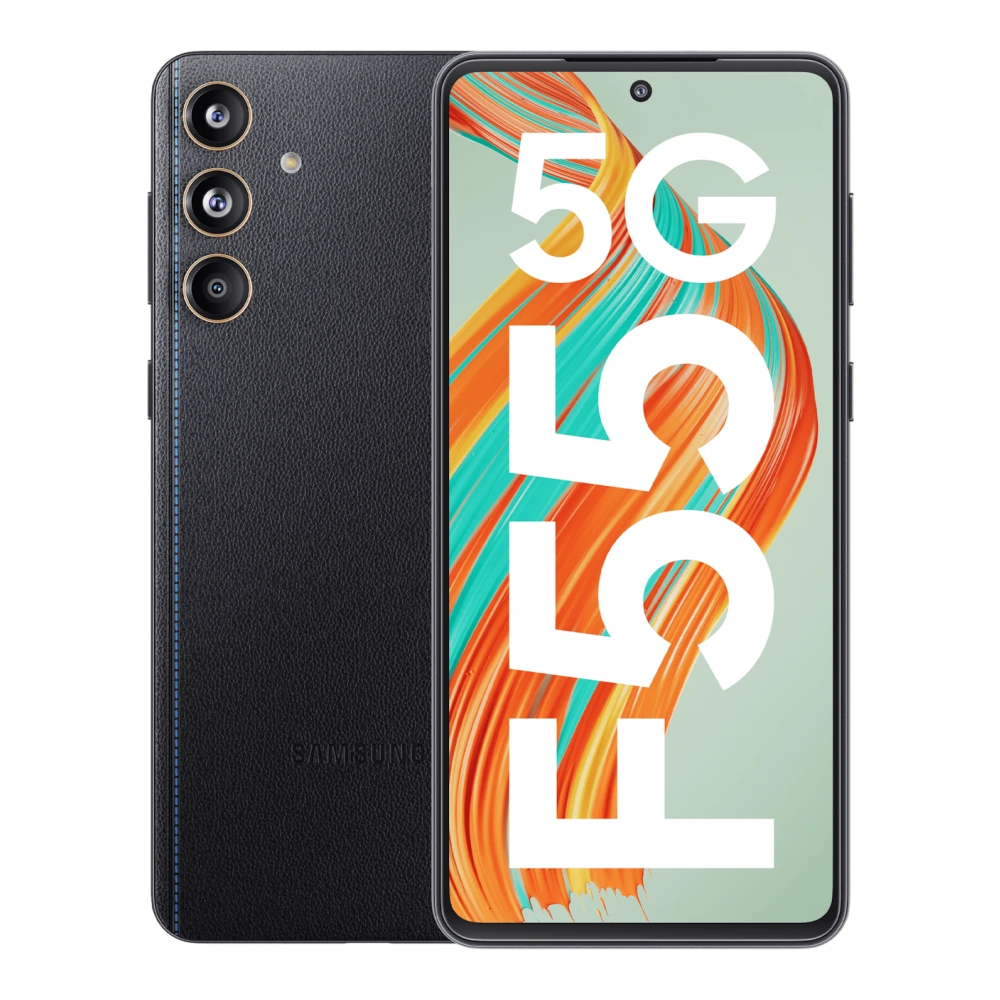
Samsung Galaxy F55 5G (8GB RAM) (SM-E556B) authentic hardware render for software, driver, and manual downloads
SM-E556B
✓ Verified Device Profile

Samsung Galaxy F55 5G (8GB RAM)

Samsung Galaxy F55 5G (8GB RAM) (SM-E556B) authentic hardware render for software, driver, and manual downloads
  • Model Code: SM-E556B
  • File Package: Firmware package (vE556BXXS5DZH1)
  • Compatibility: Android 16
  • Integrity Status: ✓ Checksum & Compatibility Verified

Download genuine Galaxy F55 5G (8GB RAM) stock firmware update (E556BXXS5DZH1). This package contains the verified, unmodified factory ROM for model SM-E556B (Region: India (INS)), released directly by Samsung.

Firmware Package Specifications

  • Device: Galaxy F55 5G (8GB RAM)
  • Model Code: SM-E556B
  • Region / CSC: India (INS)
  • PDA / Build Number: E556BXXS5DZH1
  • Operating System: Android 16
  • Security Patch Level: 2026-08-05
  • Release Date: 2026-08-31
  • Archive File Size: 8.43 GB (9,052,342,144 bytes)

Manufacturer Changelog & Security Fixes

  • Security
  • The device is protected with improved security.

Odin 4-File Flashing Slots

This firmware package includes all 4 standard factory Odin partitions for safe system recovery and unbricking:
  • BL (Bootloader): Flashes the bootloader and primary hardware initialization tables.
  • AP (System Image): Contains the system OS, vendor files, and One UI user interface.
  • CP (Modem / Phone): Flashes the cellular baseband radio and Wi-Fi modem firmware.
  • CSC (Carrier Config): Select CSC_* to perform a clean factory wipe, or select HOME_CSC_* to upgrade firmware without losing your photos, apps, or settings.

Quick flashing overview for Galaxy F55 5G (8GB RAM)

  1. Download & Extract: Download the verified E556BXXS5DZH1 package for Galaxy F55 5G (8GB RAM) (SM-E556B) and extract the tar.md5 binaries.
  2. Boot Download Mode: Turn off device. Hold Volume Down + Volume Up simultaneously while connecting the USB-C cable to your PC, then press Volume Up at the turquoise warning screen.
  3. Odin Slot Mapping: Open Odin 3.14.4 as Administrator. Assign BL, AP, CP, and CSC slots (HOME_CSC to preserve personal data, or CSC for a clean factory wipe).
  4. Execute & Reboot: Click Start in Odin. Await the green PASS! confirmation (approx. 4–7 minutes) until your device automatically restarts.
Verified Master Guide ⏱️ 7 min read

Need the Complete Odin Firmware Flashing Guide?

Follow our verified, in-depth tutorial with detailed visual steps, prerequisite checklists, Download Mode instructions, and solutions for common errors.

Read In-Depth Guide →

Platform Note: These instructions apply to systems running Android 16. Verify compatibility before proceeding.

Compatibility and scope

  • File type: Firmware
  • Version: E556BXXS5DZH1
  • Supported OS: Android 16
  • System architecture: ARM64-V8A
  • Download size: 8 GB
  • Release date: Aug 31, 2026

Samsung Galaxy F55 5G (8GB RAM) (SM-E556B) firmware version E556BXXS5DZH1 (Galaxy F55 5G (8GB RAM) Factory Stock Firmware) supports Android 16 on ARM64-V8A systems.

📜 Galaxy F55 5G (8GB RAM) Firmware Release History & Changelog Archive

Firmware update chronicle, OS version progression, and security patch trajectory for SM-E556B (Region: India (INS)):

17 Verified Builds
💡 Click Changelog details to expand verified release notes (Scroll horizontally on smaller screens →)
Build Number (PDA) & ChangelogAndroid OSRelease DateSecurity PatchStatus
E556BXXS5DZH1
Changelog details (2 notes)
  • Security
  • The device is protected with improved security.
Android 16 Aug 31, 2026 🛡️ Aug 2026 ✓ Active
E556BXXS5DZF2
Changelog details (2 notes)
  • Security
  • The device is protected with improved security.
Android 16 Jun 23, 2026 🛡️ Jun 2026 Previous
E556BXXU5DZE3
Changelog details (10 notes)
  • One UI 8.5
  • Visual design
  • Fresh new look
  • One UI seamlessly integrates into your daily routine by combining immersive visuals with meaningful personalization for a more refined and sophisticated design. Transparent blur effects add depth and make content easier to navigate, while floating elements react organically to your workflow for a more focused experience. Through familiar and intuitive data visualization, One UI delivers a design that feels both personal and relatable, helping you focus on what matters.
  • Bixby
  • Smarter device control
  • Talk to Bixby in your own words. Bixby is now better at finding the setting or feature you need, even if you don’t use exact commands or feature names. Just say what you need and let Bixby do the rest.
  • Ask anything, anytime
  • Whether you need a quick answer or detailed information, just ask Bixby for an instant response. There's no need to spend time on multiple searches or switching between apps.
  • Conversation history
Android 16 Jun 01, 2026 🛡️ May 2026 Previous
E556BXXS5CZB4
Changelog details (2 notes)
  • Security
  • The device is protected with improved security.
Android 16 Mar 10, 2026 🛡️ Feb 2026 Previous
E556BXXS4CYL1
Changelog details (2 notes)
  • Security
  • The device is protected with improved security.
Android 16 Dec 30, 2025 🛡️ Dec 2025 Previous
E556BXXU4CYJ4
Changelog details (10 notes)
  • One UI 8.0 (Android 16)
  • Productivity
  • Check stock prices without unlocking
  • Stocks you follow on Google Finance with big price changes will appear on your Now bar at the end of the trading day.
  • Easier file sharing with Quick Share
  • It's never been easier to send and receive files. Tap the Quick Share button in quick settings to get started. You can receive files while the Quick Share screen is open and send files to others directly from Quick Share.
  • Sticky notes
  • Add quick annotations on top of documents in Samsung Notes. There's no limit to the number of sticky notes you can add, and it's easy to remove them later without disturbing the original document.
  • Find downloads fast
  • You can now filter files based on the app that was used to download them. Works in the Downloaded and Recent views in My Files.
Android 16 Oct 27, 2025 🛡️ Oct 2025 Previous
E556BXXS4BYH2
Changelog details (2 notes)
  • Security
  • The device is protected with improved security.
Android 15 Aug 21, 2025 🛡️ Aug 2025 Previous
E556BXXU4BYE7
Changelog details (10 notes)
  • One UI 7.0 Upgrade (Android 15)
  • Bold new look
  • Visual enhancements
  • Enjoy a more sophisticated and unique look. One UI 7 introduces a stunning redesign to key components including buttons, menus, notifications and control bars, providing a more consistent visual experience with curves and circles. Beautiful new colors, soft animations, and an innovative blur effect that's unique to One UI make information hierarchy clearer and help you focus on important information.
  • Reimagined Home screen
  • Fresh new app icons will look great on your Home screen with new visual metaphors and color schemes that make it easier to recognize the app you need. Widgets have been completely redesigned with more colorful images and more consistent layouts. Folders on your Home screen can also be made larger so you can instantly access apps without opening the folder first.
  • Simplified Home screen grid
  • Your Home screen now looks even better than before. A new standard grid layout keeps things symmetrical and makes it easier to use One UI widgets in standard sizes.
  • Improved Home screen landscape view
  • Get a more consistent look for your Home screen, even when using your phone horizontally. Widgets now have a similar aspect ratio in landscape view, and text labels appear below icons instead of beside them.
Android 15 May 29, 2025 🛡️ May 2025 Previous
Support & Repair Information

🛠️ Need Hardware Repair or Diagnostic Assistance?

If your Galaxy F55 5G (8GB RAM) is experiencing physical damage, battery degradation, screen flickering, charging port faults, or motherboard issues that cannot be resolved through software or user manuals, contact support assistance:

💻 Screen & Display Repair Original AMOLED/LCD display replacement with genuine parts.
🔋 Battery Replacement Certified battery health diagnostics and fresh battery replacement.
📍 Service Center Locator Locate verified walk-in service desks in your city or region.
📞 Care Helpline & Booking Schedule a doorstep pickup or speak with a certified technician.

📋 Package Specifications & Build Details

Verified firmware binary structure and component tags for Galaxy F55 5G (8GB RAM):

✓ Verified Build
Build Number (PDA) E556BXXS5DZH1
CSC Build Code E556BODM5DZH1
Baseband / Modem (CP) E556BXXS5DZH1
Operating System Android 16
Release Date August 31, 2026
Security Patch Level 🛡️ August 2026
Package Format 📦 4-File Factory Binary (.zip)
Total Package Size 💾 8.43 GB

Archive Structure & Odin Slot Guide

BL: Bootloader binary
AP: System core & recovery
CP: Modem & baseband
CSC: Regional carrier configuration

✨ Build Highlights

  • Security
  • The device is protected with improved security.

Frequently asked questions

Quick Answers
When should I update firmware on Galaxy F55 5G (8GB RAM)?

One UI firmware updates provide Android security patches, new operating system features, bug fixes, and battery optimizations.

How can I update firmware on Galaxy F55 5G (8GB RAM)?

You can update over-the-air (OTA) via Settings → Software update, or perform a complete verified system update via PC using Samsung Smart Switch.

Will updating firmware erase my user data?

Standard OTA and Smart Switch updates preserve your user data. However, performing a full backup before major OS updates is always recommended.

Download Galaxy F55 5G (8GB RAM) Factory Stock Firmware

Verified package for Galaxy F55 5G (8GB RAM) • Version E556BXXS5DZH1 • Released Aug 31, 2026:

⚡ High-Speed Download (8 GB) 📱 Odin-Ready ZIP 📦 4-File Factory Binary 🌐 Dual Cloud Mirrors
🔒 SHA-256 Verified ⚡ Fast Cloud Delivery 🛡️ 100% Clean & Verified ✓ Factory Stock Package
⚡

Odin Flashing Toolkit & Slot Guide

✓ Official 4-File Binary

To flash this official stock ROM package on Galaxy F55 5G (8GB RAM) (SM-E556B), use the verified companion tools and slot mapping below:

🛠️ Odin Flash Tool v3.14.4 Official Windows flashing utility for Samsung Android firmware.
Download & Guide →
🔌 Samsung USB Driver Enables PC detection in Download Mode (Odin ID:COM port).
Download USB Drivers →
🛡️ Samsung Smart Switch Full desktop device backup before performing a firmware flash.
Download Smart Switch →

Odin 4-File Slot Mapping

BL (Bootloader) Select file starting with BL_...
AP (System Image) Select file starting with AP_...
CP (Modem / Radio) Select file starting with CP_...
CSC or HOME_CSC HOME_CSC retains data; CSC wipes device.
⚠️ Pro Caution: Ensure your battery is charged above 50% and do not unplug the USB cable until the green PASS! message appears in Odin.
Hardware & Repair Support

Experiencing Hardware Damage or Component Failure on Galaxy F55 5G (8GB RAM)?

If software flashing or driver installation does not resolve your device issue, compare genuine screen, battery, and motherboard replacement costs or visit a verified Samsung service center.

Authorized Repair Network

Ready to Repair Galaxy F55 5G (8GB RAM)?

Find verified Samsung service centers across 646+ Indian cities with genuine OEM parts inventory, express turnaround, and in-warranty zero-cost claims.

Popular Service Cities: Delhi • Mumbai • Bengaluru • Kolkata • Chennai • Hyderabad • Ahmedabad • Pune
Disclaimer: This website is an independent technical resource providing verified software packages, documentation, and flashing guides for Samsung devices. Samsung, Galaxy, and associated model trademarks belong to Samsung Electronics Co., Ltd. This site is an independent portal and is not affiliated with, sponsored by, or endorsed by Samsung Electronics.