
Samsung Galaxy J2 (2018) (SM-J250F) Factory Stock Firmware – Version J250FXWU2ATL1 for Android 7.1.1
Verified firmware package • 2 GB • Released Dec 29, 2020 • Compatible with Android 7.1.1 • Stable Production Build.
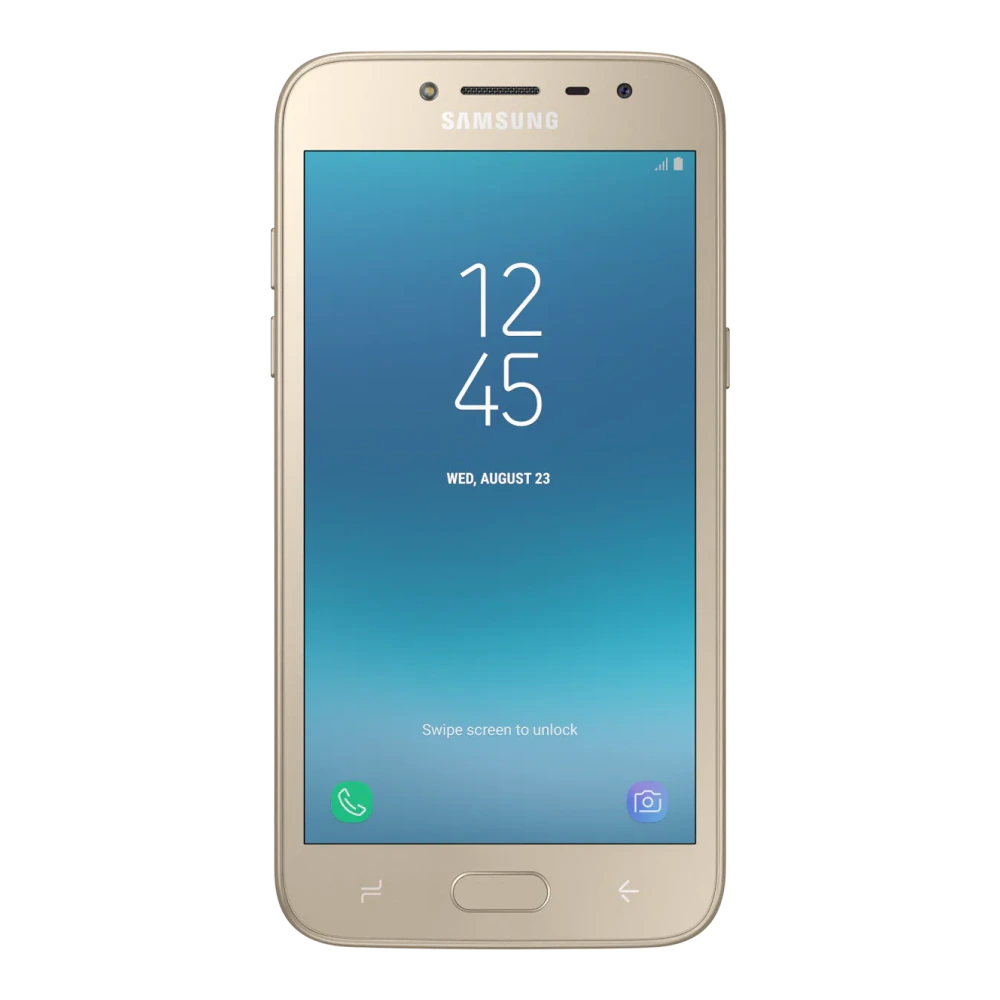
SM-J250F
Samsung Galaxy J2 (2018)
-
Model Code:
SM-J250F - File Package: Firmware package (vJ250FXWU2ATL1)
- Compatibility: Android 7.1.1
- Integrity Status: ✓ Checksum & Compatibility Verified
Download genuine Galaxy J2 (2018) stock firmware update (J250FXWU2ATL1). This package contains the verified, unmodified factory ROM for model SM-J250F (Region: India (INS)), released directly by Samsung.
Firmware Package Specifications
- Device:
Galaxy J2 (2018) - Model Code:
SM-J250F - Region / CSC:
India (INS) - PDA / Build Number:
J250FXWU2ATL1 - Operating System:
Android 7.1.1 - Security Patch Level:
2019-10-01 - Release Date:
2020-12-29 - Archive File Size:
2.07 GB(2,217,888,400 bytes)
Manufacturer Changelog & Security Fixes
- The security of your device has been improved.
Odin 4-File Flashing Slots
This firmware package includes all 4 standard factory Odin partitions for safe system recovery and unbricking:- BL (
Bootloader): Flashes the bootloader and primary hardware initialization tables. - AP (
System Image): Contains the system OS, vendor files, and One UI user interface. - CP (
Modem / Phone): Flashes the cellular baseband radio and Wi-Fi modem firmware. - CSC (
Carrier Config): SelectCSC_*to perform a clean factory wipe, or selectHOME_CSC_*to upgrade firmware without losing your photos, apps, or settings.
Quick flashing overview for Galaxy J2 (2018)
- Download & Extract: Download the verified J250FXWU2ATL1 package for Galaxy J2 (2018) (SM-J250F) and extract the
tar.md5binaries. - Boot Download Mode: Turn off device. Hold Volume Down + Volume Up simultaneously while connecting the USB-C cable to your PC, then press Volume Up at the turquoise warning screen.
- Odin Slot Mapping: Open Odin 3.14.4 as Administrator. Assign BL, AP, CP, and CSC slots (HOME_CSC to preserve personal data, or CSC for a clean factory wipe).
- Execute & Reboot: Click Start in Odin. Await the green PASS! confirmation (approx. 4–7 minutes) until your device automatically restarts.
Need the Complete Odin Firmware Flashing Guide?
Follow our verified, in-depth tutorial with detailed visual steps, prerequisite checklists, Download Mode instructions, and solutions for common errors.
Platform Note: These instructions apply to systems running Android 7.1.1. Verify compatibility before proceeding.
Compatibility and scope
📜 Galaxy J2 (2018) Firmware Release History & Changelog Archive
Firmware update chronicle, OS version progression, and security patch trajectory for SM-J250F (Region: India (INS)):
| Build Number (PDA) & Changelog | Android OS | Release Date | Security Patch | Status |
|---|---|---|---|---|
J250FXWU2ATL1
Changelog details (1 notes)
|
Android 7.1.1 | Dec 29, 2020 | 🛡️ Oct 2019 | ✓ Active |
J250FXWS2ATH1
Changelog details (1 notes)
|
Android 7.1.1 | Oct 08, 2020 | 🛡️ Oct 2019 | Previous |
J250FXWU2ASK2
Changelog details (1 notes)
|
Android 7.1.1 | Dec 13, 2019 | 🛡️ Oct 2019 | Previous |
J250FXWU2ASI4
Changelog details (2 notes)
|
Android 7.1.1 | Oct 10, 2019 | 🛡️ Sep 2019 | Previous |
J250FXWS2ASI3
Changelog details (1 notes)
|
Android 7.1.1 | Sep 19, 2019 | 🛡️ Aug 2019 | Previous |
J250FXWU2ASC1
Changelog details (2 notes)
|
Android 7.1.1 | Mar 27, 2019 | 🛡️ Mar 2019 | Previous |
J250FXWU2ASB2
Changelog details (1 notes)
|
Android 7.1.1 | Mar 18, 2019 | 🛡️ Feb 2019 | Previous |
J250FXWS2ARK2
Changelog details (1 notes)
|
Android 7.1.1 | Nov 23, 2018 | 🛡️ Nov 2018 | Previous |
🛠️ Need Hardware Repair or Diagnostic Assistance?
If your Galaxy J2 (2018) is experiencing physical damage, battery degradation, screen flickering, charging port faults, or motherboard issues that cannot be resolved through software or user manuals, contact support assistance:
📋 Package Specifications & Build Details
Verified firmware binary structure and component tags for Galaxy J2 (2018):
J250FXWU2ATL1
J250FODD2ATL1
J250FXWU2ASK2
Archive Structure & Odin Slot Guide
✨ Build Highlights
- The security of your device has been improved.
Frequently asked questions
Quick AnswersWhen should I update firmware on Galaxy J2 (2018)?
One UI firmware updates provide Android security patches, new operating system features, bug fixes, and battery optimizations.
How can I update firmware on Galaxy J2 (2018)?
You can update over-the-air (OTA) via Settings → Software update, or perform a complete verified system update via PC using Samsung Smart Switch.
Will updating firmware erase my user data?
Standard OTA and Smart Switch updates preserve your user data. However, performing a full backup before major OS updates is always recommended.
Download Galaxy J2 (2018) Factory Stock Firmware
Verified package for Galaxy J2 (2018) • Version J250FXWU2ATL1 • Released Dec 29, 2020:
Odin Flashing Toolkit & Slot Guide
To flash this official stock ROM package on Galaxy J2 (2018) (SM-J250F), use the verified companion tools and slot mapping below:
Odin 4-File Slot Mapping
BL_...
AP_...
CP_...
Was this download helpful to you?
📁 Galaxy J2 Factory Stock Firmware Version History & Available Releases
Verified ReleasesAll verified releases for Galaxy J2 Factory Stock Firmware are listed below in chronological version order for rollback and OS compatibility:
| Version | Status | File Size | Release Date | Action |
|---|---|---|---|---|
| vJ250FXWU2ATL1 |
Latest Release
(Viewing Now)
|
2 GB | Dec 29, 2020 | Active Page |
| vJ210FDDU0AWH1 |
Previous Release
|
1 GB | Sep 12, 2023 | View Version → |
Experiencing Hardware Damage or Component Failure on Galaxy J2 (2018)?
If software flashing or driver installation does not resolve your device issue, compare genuine screen, battery, and motherboard replacement costs or visit a verified Samsung service center.
Ready to Repair Galaxy J2 (2018)?
Find verified Samsung service centers across 646+ Indian cities with genuine OEM parts inventory, express turnaround, and in-warranty zero-cost claims.
Looking for other versions or file types?
Browse all downloads for Galaxy J2 (2018)