
Samsung 1.63 m (65) OLED S90F 4K Samsung Vision AI Smart TV (2025) User Manual (English) (PDF) – Version 2508040
User Manual (PDF) package • 3 MB • Released Sep 24, 2025
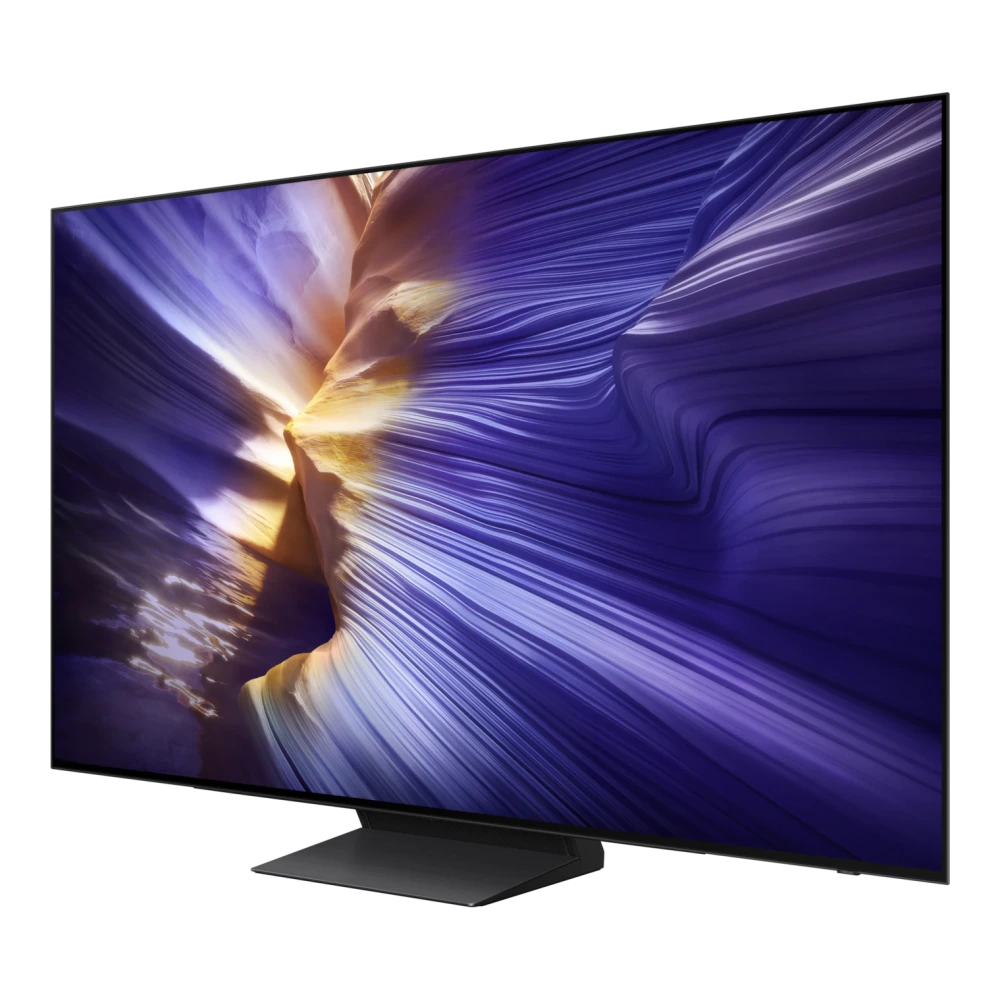
Samsung 1.63 m (65) OLED S90F 4K Samsung Vision AI Smart TV (2025)
- File Package: User Manual (PDF) (v2508040)
- File checksum: SHA-256 value listed below
What's covered in this manual
Browse essential chapters and user guidance included in this 1.63 m (65) OLED S90F 4K Samsung Vision AI Smart TV (2025) manual:
SIM & eSIM activation, language configuration, Wi-Fi setup, and Google/Samsung account sign-in.
Step-by-step wireless or USB cable transfer of contacts, media, apps, and messages from previous phone.
High-resolution shooting modes, Pro Controls, Nightography, Portrait features, and 4K/8K recording.
Fast charging optimization, Wireless PowerShare, Battery Protection modes, and power management.
Fingerprint scanner calibration, Face Recognition, Samsung Knox hardware vault, and Secure Folder.
Resolving app freezes, network connectivity resets, cache partition clearing, and factory recovery.
📄 1.63 m (65) OLED S90F 4K Samsung Vision AI Smart TV (2025) User Manual (Online Viewer)
Download verified 1.63 m (65) OLED S90F 4K Samsung Vision AI Smart TV (2025) (QA65S90FAELXL) User Manual (2508040). Comprehensive manufacturer documentation including physical installation instructions, ports & connectivity overview, picture & sound calibration guides, remote control pairing, and hardware troubleshooting procedures.
How to view and use this manual
- Click Read Manual Online at the top of this page to view directly in your browser.
- Alternatively, click Download PDF to save the complete document for offline viewing.
- Use Ctrl + F (Windows) or Cmd + F (Mac) to quickly search for specific error codes, features, or setup instructions.
Compatibility and scope
File Integrity & Security Verification
Compare the downloaded file's SHA-256 hash with the value shown here. A matching hash alone does not prove who published the file.
9e61f0ba3db3de0d2015687cd823387ea40bec742a58279cf0fe9a99b9da0474
💻 How to verify SHA-256 hash on your computer
Save the PDF manual to your computer (e.g. Downloads folder).
Press Win + R → type cmd (or open Terminal on Mac/Linux).
Paste and run the command in your terminal (or drag & drop the file to auto-fill its path).
certutil -hashfile "BN81-27185D-680_EUG_ROPDVBAAF_ASIA_ENG_250804.0.pdf" SHA256
shasum -a 256 "BN81-27185D-680_EUG_ROPDVBAAF_ASIA_ENG_250804.0.pdf"
cd Downloads), or simply drag & drop the downloaded file directly into the terminal window to auto-fill its exact path!
🛠️ Need Hardware Repair or Diagnostic Assistance?
If your 1.63 m (65) OLED S90F 4K Samsung Vision AI Smart TV (2025) is experiencing physical damage, battery degradation, screen flickering, charging port faults, or motherboard issues that cannot be resolved through software or user manuals, contact support assistance:
📋 Package Specifications & Build Details
Listed package metadata for 1.63 m (65) OLED S90F 4K Samsung Vision AI Smart TV (2025):
QA65S90FAELXL
2508040
BN81-27185D-680_EUG_ROPDVBAAF_ASIA_ENG_250804.0.pdf
📺 USB Drive Installation & Flashing Instructions
Download User Manual (English)
Package listed for 1.63 m (65) OLED S90F 4K Samsung Vision AI Smart TV (2025) • Version 2508040 • Released Sep 24, 2025:
Was this download helpful to you?
📁 User Manual Version History & Available Releases
Listed ReleasesListed releases for User Manual appear below. Check version support before installing or rolling back:
| Version | Status | File Size | Release Date | Action |
|---|---|---|---|---|
| v2511140 |
Latest Release
|
113 KB | Dec 17, 2025 | View Version → |
| v2508040 |
Previous Release
(Viewing Now)
|
3 MB | Sep 24, 2025 | Active Page |
| v2503260 |
Previous Release
|
225 KB | May 20, 2025 | View Version → |
| v2412300 |
Previous Release
|
635 KB | May 20, 2025 | View Version → |
| v1.0 |
Previous Release
|
10 KB | Jul 27, 2025 | View Version → |
Experiencing Hardware Damage or Component Failure on 1.63 m (65) OLED S90F 4K Samsung Vision AI Smart TV (2025)?
If firmware updates or power resets do not resolve display banding, backlight failure, or port connectivity faults, compare original panel, power supply board, and mainboard repair costs or locate an authorized Samsung service center.
Ready to Repair 1.63 m (65) OLED S90F 4K Samsung Vision AI Smart TV (2025)?
Browse Samsung service-center listings and contact the provider to confirm services, parts and opening hours.
Looking for other versions or file types?
Browse all downloads for 1.63 m (65) OLED S90F 4K Samsung Vision AI Smart TV (2025)