
Samsung Galaxy Book4 Pro Downloads & Support Hub
Verified support repository for Samsung Galaxy Book4 Pro providing 42 database-indexed packages (2 Firmware Packages, 39 Hardware Drivers, 1 User Manual), supporting Windows. All packages are verified with SHA-256 cryptographic signatures.
Device Overview & System Guide
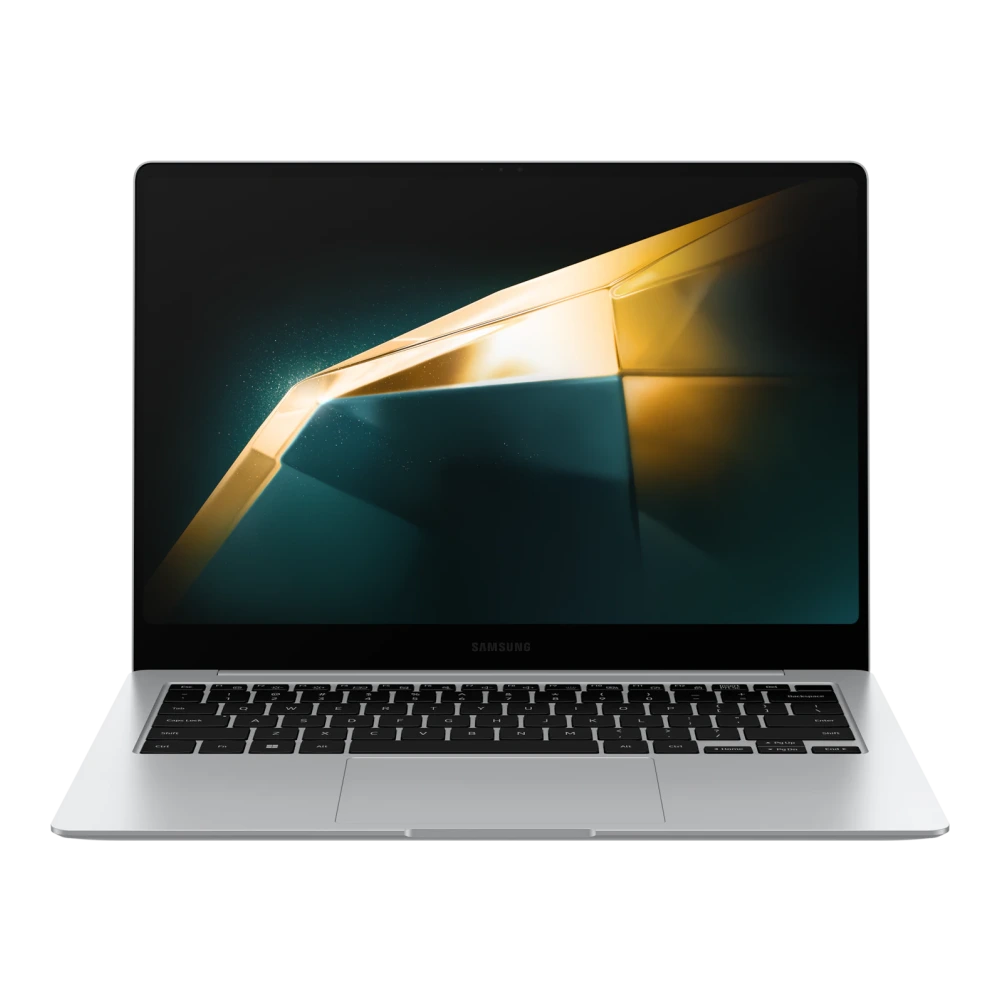
Hardware profile, system utilities, and verified resources for Samsung Galaxy Book4 ProFeaturing a refined, modern chassis weighing 1.23 kg and a display, the Galaxy Book4 Pro is tailored for mobile professionals and creators. Driven by an advanced multi-core processor and ample unified memory and storage, it ensures swift application launch times and smooth background task execution.
Designed around the connected Samsung Galaxy experience, this model supports Second Screen to instantly extend your Windows workspace onto a nearby Galaxy Tab, alongside Link to Windows for accessing phone apps and notifications on your laptop screen. Its long-lasting battery and comprehensive port selection provide reliable connectivity during travel and dock station use.
Download verified user guides, Windows drivers, and BIOS firmware updates below to keep model operating at peak performance.
📦 Available Download Packages
Filter software packages by technical component category:
Companion Utility: Samsung Update & Settings
Auto-detect, install, and update all OEM drivers and BIOS firmware packages specifically verified for your Galaxy Book hardware.
Intel Graphics Driver
Intel Npu Driver
Samsung System Support Service
Samsung System Event Controller
Icps Intel Connectivity Performance Suite
Intel Wireless LAN Driver
Samsung System Support Service
User Manual (English)
Intel Camera Driver
Intel Windows11 Driverpack
Intel Windows11 Pe Driverpack
System Bios
Als Registry Setting
Egistec ESS Fingerprint Sensor Driver
Goodix Wot Touchscreen Driver
Icps Intel Connectivity Performance Suite
Intel Bluetooth Driver
Intel Chipset Driver
Intel CSME Management Engine Interface Driver
Intel Dynamic Tuning Driver
Intel GNA Driver
Intel Graphics Driver
Intel Hid Event Filter Intel(r) Hid Event Filter Driver
Intel Pmt (platform Monitoring Technology) Driver
Intel Npu Driver
Intel Sensor Hub Motion Sensor Driver
Intel Serial I/O Driver
Intel Txt Driver
Intel Wireless LAN Driver
Realtek Audio Sound Driver
Realtek Usb LAN Driver
Samsung System Support Service
Samsung System Event Controller
Air Command Online Support(s Service) Platform Engine
Egistec ESS Fingerprint Sensor Driver
Icps Intel Connectivity Performance Suite
Intel CSME Management Engine Interface Driver
Intel Windows11 Driverpack
Intel Windows11 Pe Driverpack
System Bios
Realtek Audio Sound Driver
Intel CSME Management Engine Interface Driver
📋 Samsung Galaxy Book4 Pro Technical Specifications
Authoritative technical specifications, performance metrics, and regulatory hardware details indexed directly from Samsung Electronics official servers (15 technical domains, 37 verified attributes).
🏭 Manufacturer, Regulatory & Import Information
| Manufactured by | Samsung Electronics Vietnam Co., Ltd. Yen Phong 1 Industrial Zone, Yen Trung Commune, Yen Phong Dist, Bac Ninh, Vietnam |
|---|---|
| Country of Origin | Vietnam |
| Imported by | Samsung India Electronics Pvt. Ltd. having its Registered Office at: 6th Floor, DLF Centre, Sansad Marg, New Delhi-110001 |
| Contact us | For All Product Related Complaints/assistance, please contact Manager, Customer Care Samsung India Electronics Pvt. Ltd., 6th Floor, DLF Centre, Sansad Marg, New Delhi - 110001 Email us at: support.india@samsung.com Tel (Toll Free): 1800 40 7267864 (1800 40 SAMSUNG) |
| Launch date | February 15th, 2024 |
ℹ️ Official Specification Footnotes, IEC Standards & Network Disclaimers
* Weights and height vary depending on manufacturing process
* Please contact Samsung Call Center or Samsung Authorized Service Centers before you replace or add storage and memory for compatibility check
* Typical value of battery capacity tested under third-party laboratory condition. Typical value is the estimated average value considering the deviation in battery capacity among the battery samples tested under IEC 61960 standard. Actual battery life may vary depending on network environment, usage patterns and other factors.
* Screen size is measured diagonally as a full rectangle without accounting for the rounded corners. Actual viewable area is less due to the rounded corners
* Images shown here are for representational purpose only, actual may vary. All features, specifications and prices are subject to change without prior notice. Model availability may vary from location to location.
🛠️ Galaxy Book4 Pro Diagnostics & Maintenance Guide
Hardware recovery procedures, BIOS setup shortcuts, and driver diagnostic instructions for your Samsung Galaxy Book:
🔄 Samsung Factory Recovery (F4 at Boot)
- Restart or power on your Galaxy Book4 Pro.
- Repeatedly tap the F4 key as soon as the Samsung display logo appears.
- Wait for the Samsung Recovery environment to load.
- Select Computer Factory Reset to restore the factory Windows image, or choose Backup User Data to preserve personal files.
⚙️ Samsung BIOS / UEFI Setup (F2 at Boot)
- Restart your notebook and immediately tap F2 repeatedly.
- Access the Samsung BIOS Configuration dashboard.
- Check hardware status (CPU, RAM, NVMe SSD recognition, Battery health).
- Configure Boot Order, Secure Boot, or toggle Battery Life Extender+ (caps charge at 85% to preserve battery longevity).
🛡️ Windows Driver & WinRE Diagnostic
To resolve hardware issues (Audio, Touchpad, Wi-Fi) on Windows 11/10:
- Press Win + X and select Device Manager to check for yellow warning flags on hardware controllers.
- Launch the Samsung Update utility to verify firmware and driver currency.
- If Windows fails to boot, hold Shift while clicking Restart to access Windows Recovery Environment (WinRE) for Startup Repair.
❓ Frequently Asked Questions for Galaxy Book4 Pro
How do I reinstall missing hardware drivers on Galaxy Book4 Pro?
Download the specific driver packages (Chipset, Graphics, Realtek Audio, Wi-Fi, Touchpad) from the package repository above, extract the files, and run the setup installer. Alternatively, launch the Samsung Update application from the Windows Start menu to auto-detect and install all verified OEM drivers for your exact model.
How do I enter the BIOS / UEFI firmware settings on Galaxy Book4 Pro?
Restart your Galaxy Book and repeatedly tap the F2 key as soon as the Samsung display logo appears. This enters the Samsung BIOS Setup utility where you can configure boot devices, check hardware status, and manage battery charging thresholds.
How do I restore Galaxy Book4 Pro to factory default settings?
Restart your Galaxy Book and tap F4 repeatedly at the Samsung boot logo to launch Samsung Recovery. Select 'Computer Factory Reset' to restore the original factory Windows operating system image.
Where can I find user manuals and documentation for Galaxy Book4 Pro?
Windows 11 user manuals, hardware specification guides, and safety documentation are listed in the package table above. You can read them directly in your browser or download the verified PDF.
Need Hardware Replacement for Galaxy Book4 Pro?
Compare original display panel, keyboard, motherboard, and battery replacement prices with standard labor tariffs, or locate an authorized walk-in Samsung service center in your city.
Ready to Repair Galaxy Book4 Pro?
Find verified Samsung service centers across 646+ Indian cities with genuine OEM parts inventory, express turnaround, and in-warranty zero-cost claims.