
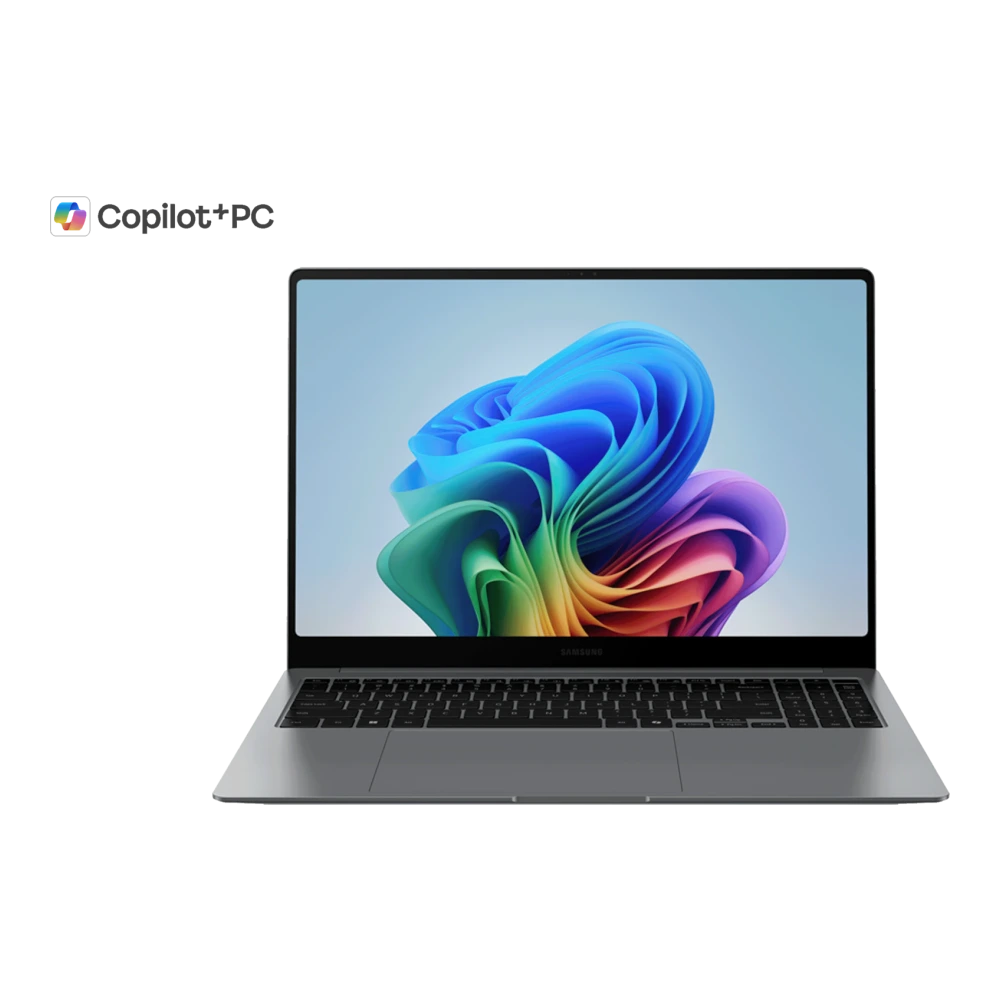
Samsung Galaxy Book5 Pro, 40.62 cm, Ultra 7, 16 GB, Copilot+ PC Downloads & Support Hub
Verified support repository for Samsung Galaxy Book5 Pro, 40.62 cm, Ultra 7, 16 GB, Copilot+ PC (NP960XHAA-EXP) providing 1 database-indexed packages (1 User Manual), including cross-platform PDF documentation. All packages are verified with SHA-256 cryptographic signatures.
📦 Available Download Packages
Filter software packages by technical component category:
Companion Utility: Samsung Update & Settings
Auto-detect, install, and update all OEM drivers and BIOS firmware packages specifically verified for your Galaxy Book hardware.
User Manual(Windows 11)
🛠️ Galaxy Book5 Pro, 40.62 cm, Ultra 7, 16 GB, Copilot+ PC Diagnostics & Maintenance Guide
Hardware recovery procedures, BIOS setup shortcuts, and driver diagnostic instructions for your Samsung Galaxy Book:
🔄 Samsung Factory Recovery (F4 at Boot)
- Restart or power on your Galaxy Book5 Pro, 40.62 cm, Ultra 7, 16 GB, Copilot+ PC.
- Repeatedly tap the F4 key as soon as the Samsung display logo appears.
- Wait for the Samsung Recovery environment to load.
- Select Computer Factory Reset to restore the factory Windows image, or choose Backup User Data to preserve personal files.
⚙️ Samsung BIOS / UEFI Setup (F2 at Boot)
- Restart your notebook and immediately tap F2 repeatedly.
- Access the Samsung BIOS Configuration dashboard.
- Check hardware status (CPU, RAM, NVMe SSD recognition, Battery health).
- Configure Boot Order, Secure Boot, or toggle Battery Life Extender+ (caps charge at 85% to preserve battery longevity).
🛡️ Windows Driver & WinRE Diagnostic
To resolve hardware issues (Audio, Touchpad, Wi-Fi) on Windows 11/10:
- Press Win + X and select Device Manager to check for yellow warning flags on hardware controllers.
- Launch the Samsung Update utility to verify firmware and driver currency.
- If Windows fails to boot, hold Shift while clicking Restart to access Windows Recovery Environment (WinRE) for Startup Repair.
❓ Frequently Asked Questions for Galaxy Book5 Pro, 40.62 cm, Ultra 7, 16 GB, Copilot+ PC
How do I reinstall missing hardware drivers on Galaxy Book5 Pro, 40.62 cm, Ultra 7, 16 GB, Copilot+ PC?
Download the specific driver packages (Chipset, Graphics, Realtek Audio, Wi-Fi, Touchpad) from the package repository above, extract the files, and run the setup installer. Alternatively, launch the Samsung Update application from the Windows Start menu to auto-detect and install all verified OEM drivers for your exact model.
How do I enter the BIOS / UEFI firmware settings on Galaxy Book5 Pro, 40.62 cm, Ultra 7, 16 GB, Copilot+ PC?
Restart your Galaxy Book and repeatedly tap the F2 key as soon as the Samsung display logo appears. This enters the Samsung BIOS Setup utility where you can configure boot devices, check hardware status, and manage battery charging thresholds.
How do I restore Galaxy Book5 Pro, 40.62 cm, Ultra 7, 16 GB, Copilot+ PC to factory default settings?
Restart your Galaxy Book and tap F4 repeatedly at the Samsung boot logo to launch Samsung Recovery. Select 'Computer Factory Reset' to restore the original factory Windows operating system image.
Where can I find user manuals and documentation for Galaxy Book5 Pro, 40.62 cm, Ultra 7, 16 GB, Copilot+ PC?
Windows 11 user manuals, hardware specification guides, and safety documentation are listed in the package table above. You can read them directly in your browser or download the verified PDF.
Need Hardware Replacement for Galaxy Book5 Pro, 40.62 cm, Ultra 7, 16 GB, Copilot+ PC?
Compare original display panel, keyboard, motherboard, and battery replacement prices with standard labor tariffs, or locate an authorized walk-in Samsung service center in your city.
Ready to Repair Galaxy Book5 Pro, 40.62 cm, Ultra 7, 16 GB, Copilot+ PC?
Find verified Samsung service centers across 646+ Indian cities with genuine OEM parts inventory, express turnaround, and in-warranty zero-cost claims.