
Samsung Galaxy Z Fold7 (SM-F966B) Factory Stock Firmware – Version F966BXXSCBZH3 for Android 16
Firmware package • 26 GB • Released Sep 01, 2026 • Compatible with Android 16
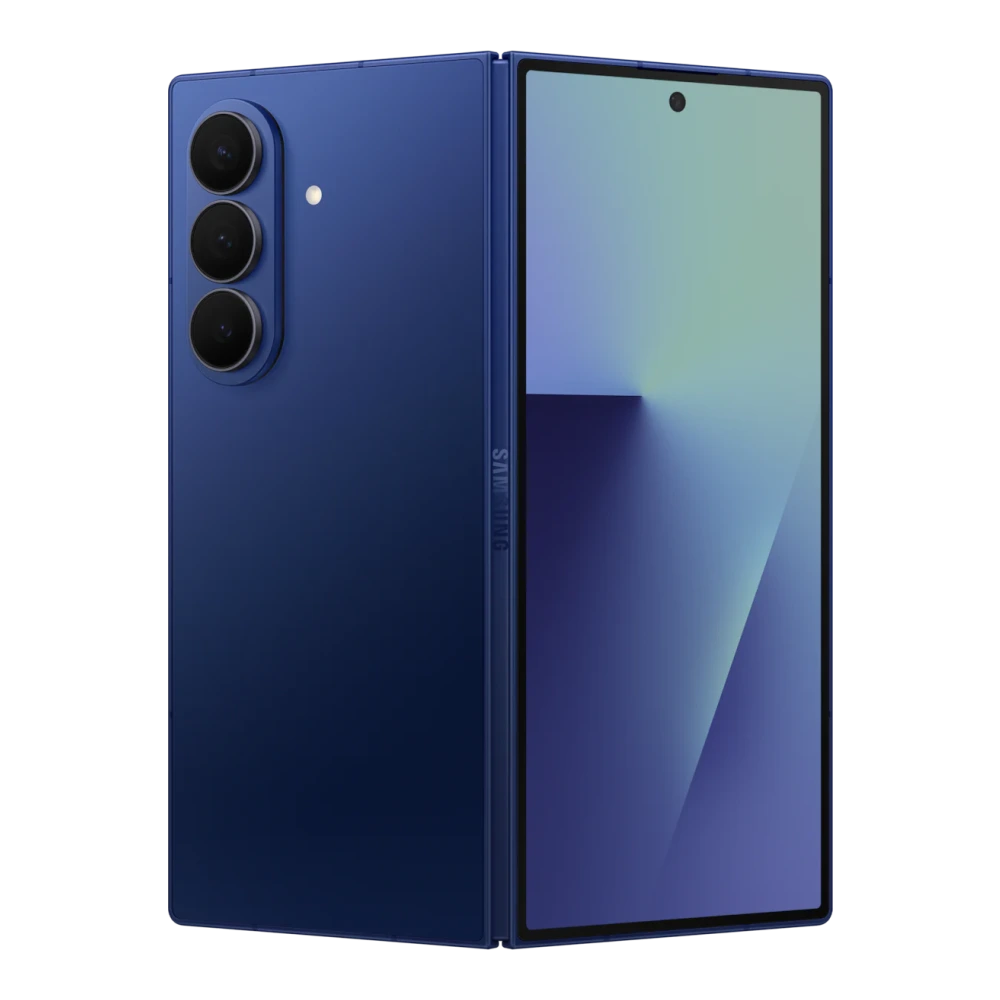
SM-F966B
Samsung Galaxy Z Fold7
-
Model Code:
SM-F966B - File Package: Firmware package (vF966BXXSCBZH3)
- Compatibility: Android 16
Download genuine Galaxy Z Fold7 stock firmware update (F966BXXSCBZH3). This package contains the verified, unmodified factory ROM for model SM-F966B (Region: India (INS)), released directly by Samsung.
Firmware Package Specifications
- Device:
Galaxy Z Fold7 - Model Code:
SM-F966B - Region / CSC:
India (INS) - PDA / Build Number:
F966BXXSCBZH3 - Operating System:
Android 16 - Security Patch Level:
2026-08-05 - Release Date:
2026-09-01 - Archive File Size:
25.68 GB(27,571,607,344 bytes)
Manufacturer Changelog & Security Fixes
- Security
- The device is protected with improved security.
Odin 4-File Flashing Slots
This firmware package includes all 4 standard factory Odin partitions for safe system recovery and unbricking:- BL (
Bootloader): Flashes the bootloader and primary hardware initialization tables. - AP (
System Image): Contains the system OS, vendor files, and One UI user interface. - CP (
Modem / Phone): Flashes the cellular baseband radio and Wi-Fi modem firmware. - CSC (
Carrier Config): SelectCSC_*to perform a clean factory wipe, or selectHOME_CSC_*to upgrade firmware without losing your photos, apps, or settings.
Quick flashing overview for Galaxy Z Fold7
- Download & Extract: Confirm the model and source of the F966BXXSCBZH3 package for Galaxy Z Fold7 (SM-F966B). Extract the archive according to its included instructions.
- Boot Download Mode: Turn off device. Hold Volume Down + Volume Up simultaneously while connecting the USB-C cable to your PC, then press Volume Up at the turquoise warning screen.
- Odin Slot Mapping: Open Odin 3.14.4 as Administrator. Assign BL, AP, CP, and CSC slots (HOME_CSC to preserve personal data, or CSC for a clean factory wipe).
- Execute & Reboot: Click Start in Odin. Await the green PASS! confirmation (approx. 4–7 minutes) until your device automatically restarts.
Need the Complete Odin Firmware Flashing Guide?
Read the installation guide for prerequisites, download steps and common troubleshooting checks.
Platform Note: These instructions apply to systems running Android 16. Verify compatibility before proceeding.
Compatibility and scope
📜 Galaxy Z Fold7 Firmware Release History & Changelog Archive
Firmware update chronicle, OS version progression, and security patch trajectory for SM-F966B (Region: India (INS)):
| Build Number (PDA) & Changelog | Android OS | Release Date | Security Patch | Status |
|---|---|---|---|---|
F966BXXSCBZH3
Changelog details (2 notes)
|
Android 16 | Sep 01, 2026 | 🛡️ Aug 2026 | ✓ Active |
F966BXXSBBZG3
Changelog details (2 notes)
|
Android 16 | Jul 21, 2026 | 🛡️ Jul 2026 | Previous |
F966BXXUABZF1
Changelog details (4 notes)
|
Android 16 | Jun 16, 2026 | 🛡️ Jun 2026 | Previous |
F966BXXS9BZE2
Changelog details (2 notes)
|
Android 16 | May 21, 2026 | 🛡️ May 2026 | Previous |
F966BXXU9BZDP
Changelog details (10 notes)
|
Android 16 | May 11, 2026 | 🛡️ Apr 2026 | Previous |
F966BXXS9AZC8
Changelog details (2 notes)
|
Android 16 | Apr 13, 2026 | 🛡️ Apr 2026 | Previous |
F966BXXS8AZC2
Changelog details (2 notes)
|
Android 16 | Mar 23, 2026 | 🛡️ Mar 2026 | Previous |
F966BXXS8AZB6
Changelog details (2 notes)
|
Android 16 | Mar 03, 2026 | 🛡️ Feb 2026 | Previous |
🛠️ Need Hardware Repair or Diagnostic Assistance?
If your Galaxy Z Fold7 is experiencing physical damage, battery degradation, screen flickering, charging port faults, or motherboard issues that cannot be resolved through software or user manuals, contact support assistance:
📋 Package Specifications & Build Details
Listed firmware metadata and component tags for Galaxy Z Fold7:
F966BXXSCBZH3
F966BOXMCBZH3
F966BXXSCBZH3
Archive Structure & Odin Slot Guide
✨ Build Highlights
- Security
- The device is protected with improved security.
Download Galaxy Z Fold7 Factory Stock Firmware
Package listed for Galaxy Z Fold7 • Version F966BXXSCBZH3 • Released Sep 01, 2026:
Odin Flashing Toolkit & Slot Guide
Before flashing a firmware package on Galaxy Z Fold7 (SM-F966B), confirm the exact model, package source and tool instructions:
Odin 4-File Slot Mapping
BL_...
AP_...
CP_...
Was this download helpful to you?
Experiencing Hardware Damage or Component Failure on Galaxy Z Fold7?
If software flashing or driver installation does not resolve your device issue, compare screen, battery, and motherboard replacement costs or find a service center.
Ready to Repair Galaxy Z Fold7?
Browse Samsung service-center listings and contact the provider to confirm services, parts and opening hours.
Looking for other versions or file types?
Browse all downloads for Galaxy Z Fold7