🖥️ Samsung Software Center 🖥️ Tested Samsung PC Suites 🔄 Wireless & USB Continuity 📦 Clean Installer Mirror

Samsung Kies Download for Windows 10/11 & Mac (Kies 2/3)

Samsung Kies packages for syncing, backing up, and managing older Galaxy phones and tablets from a Windows or Mac computer.
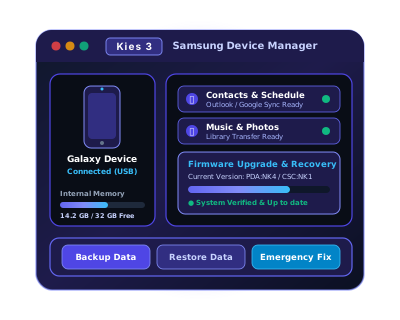
Verified Catalog: 24 packages available
Samsung Kies Desktop Device Manager & Firmware Sync Suite
🔍
Showing 24 of 24 matching packages
Quick Platform Filter:

Samsung Kies — What It Is and When You Still Need It

Samsung Kies was the primary Samsung device management software for Windows and macOS from 2010 to 2015. It provided USB-based sync of contacts, calendars, music, photos, and text messages between a Galaxy phone or tablet and a PC. Kies also supported firmware update delivery for older Galaxy devices before Samsung transitioned to Smart Switch as the primary management tool.

Kies has been replaced by Smart Switch for all devices launched after 2015. However, Kies remains the dedicated tool for managing a specific set of legacy Samsung devices — including Galaxy S2, S3, Note 2, and older Galaxy Tab models — that Smart Switch does not fully support. If you have an older Samsung device that Smart Switch fails to detect or sync, Kies 2 or Kies 3 is likely what you need.

Two versions exist: Kies 2 (for devices running Android 4.3 and earlier) and Kies 3 (for Android 4.4 KitKat and Android 5/6 devices). Both support Windows 7 through Windows 10. Neither version is compatible with Windows 11 without compatibility mode workarounds.

❓ Frequently Asked Questions About Samsung Kies

When should I use Samsung Kies instead of Samsung Smart Switch?
Samsung Smart Switch is designed for modern devices running Android 4.3 or newer (including all One UI releases). Samsung Kies 2.6 and Kies 3 are specifically required for legacy Galaxy devices running Android 2.1 through 4.2.2 (such as Galaxy S, S2, S3, Note, Note 2, and early Galaxy Tab models) that Smart Switch does not detect.
What is the difference between Samsung Kies 2 and Kies 3?
Kies 2.6 supports classic Galaxy smartphones and tablets running Android 2.1 Eclair up to Android 4.2.2 Jelly Bean. Kies 3 is dedicated to devices launched with or updated to Android 4.3 Jelly Bean, 4.4 KitKat, or early Android 5.0 Lollipop. Verify your Android version in Settings > About device before downloading.
How do I resolve "Connecting..." hanging or device connection timeouts in Samsung Kies on Windows 11 or 10?
To fix Kies connection issues on Windows 11 and 10: 1) Right-click the Kies desktop shortcut and open Properties > Compatibility tab, 2) Check "Run this program in compatibility mode for Windows 7" and check "Run this program as an administrator", 3) Reinstall the verified Samsung USB Driver package, and 4) Use an authentic OEM USB cable plugged directly into a motherboard USB 2.0 port.
How does Emergency Firmware Recovery work in Samsung Kies?
If a system update was interrupted and your phone displays a yellow exclamation mark or "Firmware upgrade encountered an issue", open Kies on your PC, select Tools > "Firmware Upgrade and Initialization", enter your phone's exact Model Name and Serial Number (S/N) found on the hardware sticker under the battery, and Kies will download and flash a clean factory recovery ROM.
Can Samsung Kies run on modern macOS editions (Catalina, Big Sur, Monterey, Sonoma)?
Legacy Samsung Kies for Mac was built as a 32-bit application and is not compatible with macOS 10.15 Catalina or newer, which strictly require 64-bit binaries. On modern macOS versions, use Samsung Smart Switch for Mac for data backup, or an Android File Transfer bridge to transfer photos and documents.