🖥️ Samsung Software Center 🖥️ Tested Samsung PC Suites 🔄 Wireless & USB Continuity 📦 Clean Installer Mirror

Samsung Software Download Center (Windows & Mac Apps)

Browse Samsung software packages by purpose, version, device, and region. Find Samsung software for syncing, managing files, connecting to the internet, editing media, and improving device features. These pages group similar software so visitors can understand what each package is used for before opening a download page.
Verified Catalog: 172 packages available
Samsung Software Download Center & Desktop Device Ecosystem
🔍
Showing 172 of 172 matching packages
Quick Platform Filter:

Samsung Software Downloads — What's Available & How to Choose

Samsung publishes a wide range of companion software for Windows and macOS that extends what Galaxy phones, tablets, and other Samsung devices can do when connected to a computer. This page organises all Samsung software by purpose so you can find the right package without needing to know its exact name in advance.

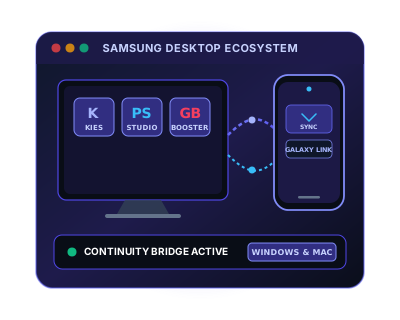
Samsung software broadly falls into three functional categories: device management software (Kies, PC Studio, PC Suite — for syncing contacts, calendars, and files); continuity software (Samsung DeX, Samsung Flow — for extending your phone's capabilities to a PC screen); and productivity add-ons (Print & Scan apps, Game Booster — for specific use cases). Use the cluster tabs above to navigate directly to the software type that matches your need.

All Samsung software packages listed here include the version number, supported operating systems (Windows 10/11, macOS), and file size. Where multiple versions of the same software exist, older versions are preserved for users with legacy devices that are no longer supported by the current release.

❓ Frequently Asked Questions About Samsung All Software

What PC software packages does Samsung offer for Galaxy device integration?
Samsung provides a complete ecosystem of desktop software: Samsung DeX (desktop productivity and multi-window multitasking), Samsung Flow (real-time notification mirroring and shared clipboard), Samsung Smart Switch (complete data backup and OS migration), Samsung Kies (legacy device management), and Samsung PC Studio (classic phone tools).
Are Samsung software packages compatible with Windows 11 and macOS?
Yes. Modern packages including Samsung DeX, Smart Switch, and Samsung Flow are fully certified for 64-bit Windows 11, Windows 10, and macOS. Legacy packages such as Samsung Kies 2/3 and PC Studio run on Windows 11/10 using Windows compatibility mode.
What USB driver prerequisites are required before connecting to Samsung desktop suites?
Before connecting your device to Samsung desktop applications, install the verified Samsung USB Driver for Android (or legacy Mobile USB Modem driver for feature phones). This ensures Windows Device Manager initializes MTP file transfer, ADB debugging, and virtual COM bridge interfaces properly.
How do I perform a clean uninstall of Samsung desktop software if an update hangs?
Open Windows Settings > Apps > Installed apps, locate the Samsung software suite, and select Uninstall. To remove residual configuration caches, delete any remaining folders in %LOCALAPPDATA%\Samsung and %APPDATA%\Samsung, restart your computer, and run the verified installer with Administrator rights.
Are 32-bit (x86) and 64-bit (x64) Windows editions supported by these installers?
Yes. Modern suites like Smart Switch and DeX are compiled as native 64-bit binaries for optimal memory throughput and stability. Legacy suites (such as PC Studio 3/7 and Kies 2/3) are 32-bit applications that run seamlessly on 64-bit Windows 11 and 10 via the WOW64 compatibility subsystem.