
 Samsung Battery Price
Independent Samsung Care Centre & Repair Intelligence Portal
Samsung Care Centre: Service Center Directory & Repair Guide
Find verified Samsung Care Centre locations across 500+ Indian cities. Check transparent spare parts prices for Galaxy smartphones, Smart TVs, and home appliances, download software utilities, and access step-by-step troubleshooting guides.
Care Centre Directory
Locate 1,600+ verified Samsung care centres with exact street address, direct phone numbers, and live status.
Genuine Parts Estimator
Calculate OEM displays, motherboards, batteries, and appliance parts with 18% GST and labor charges.
Software & Utility Hub
Download Samsung Odin, Android USB drivers, Smart Switch, and SSD Magician utilities.
Diagnostics & Codes
Test hardware before visiting with secret dialer codes (*#0*#), error codes, and warranty guides.
Samsung Service Center & Repair Network
Nationwide coverage across major metropolitan hubs, state capitals, and tier-2 service locations.
📍 Top Metropolitan Service Hubs
🗺️ Regional & State Directory
Gujarat
127 Centers
Madhya Pradesh
101 Centers
Samsung Spare Parts Pricing by Hardware Category
Itemized display assemblies, motherboard ICs, battery packs, and service labor charges.
Smartphones
Galaxy S25, S24, Z Fold, A & M
View Pricing →Smart TVs
Neo QLED 8K, OLED 4K, The Frame
View Pricing →Refrigerators
Curd Maestro, Double Door Inverter
View Pricing →Washing Machines
Front Load, EcoBubble, Top Load
View Pricing →Air Conditioners
WindFree 1.5T/2T Inverter Split
View Pricing →Galaxy Notebooks
Galaxy Book4 Pro, Book3 360
View Pricing →Galaxy Tablets
Galaxy Tab S10, Tab S9, Tab A9
View Pricing →Galaxy Wearables
Galaxy Ring, Watch Ultra, Buds
View Pricing →Services Available at Samsung Care Centres
Overview of hardware diagnostics, in-warranty servicing, component replacements, and software support at service facilities.
📱 Walk-In Smartphone & Tablet Repairs
Service engineers handle screen replacements (AMOLED & Folding displays), battery renewals, charging port fixes, camera module replacements, and water damage remediation.
- Standard OEM AMOLED & Glass Assemblies
- IP68 Water Resistance Re-sealing Tests
- Battery Health Diagnostic Calibration
📺 On-Site / Doorstep Home Appliance Care
For large products like Smart TVs (Neo QLED, OLED, The Frame), Refrigerators, Washing Machines, and Air Conditioners, mobile technician teams provide doorstep service.
- Laser TV Display Panel COF/TAB Bonding
- Digital Inverter Compressor & Gas Refilling
- Direct Drive Motor & Washing Machine PCB Repair
⚡ Software Flashing & Data Migration
Reliable software utilities including stock One UI firmware restoration, bricked device recovery via Samsung Odin, and seamless content transfers with Samsung Smart Switch.
- Stock Firmware Restoration via Odin
- Knox Security & Bootloop Recovery
- Smart Switch PC & Android Backup Support
💎 Genuine Spare Parts Price Estimation
Transparent cost estimates for out-of-warranty repairs covering OEM displays, motherboards, batteries, and appliance parts with 18% GST and labor charges.
- Galaxy S & Z Series Dynamic AMOLED Screen Rates
- OEM Battery Renewals & Motherboard Replacements
- Refrigerator & Washing Machine Inverter PCB Modules
🛡️ Warranty & Samsung Care+ Claims
Guidance on claiming 1-year standard manufacturer warranty and Samsung Care+ accidental / liquid damage protection with zero or nominal deductible charges.
- 1-Year Manufacturer Standard Warranty Repairs
- Samsung Care+ Liquid & Screen Protection Claims
- Post-Repair Service Warranty Coverage
🛠️ Pre-Visit Self-Diagnostics & Testing
Run hardware self-test diagnostic dialer codes (*#0*#) to isolate sensor, screen, touch, and audio defects before visiting a service center.
- Secret Dialer Hardware Tests (*#0*#, *#7353#)
- Battery Health & Charging Port Diagnostic Checks
- Online Appointment & Service Token Scheduling
Checklist Before Visiting a Samsung Care Centre
Ensure your personal data is secure, hardware is tested, and paperwork is ready before handing over your device.
Step 1 • Diagnostics
🔍 Run Hardware Self-Test
Open phone dialer and enter *#0*# to test display pixels, touch response, vibration, camera, and sensors to pinpoint hardware faults.
Step 2 • Data Backup
💾 Backup Everything
Use Samsung Smart Switch to backup photos, contacts, WhatsApp chats, and apps to your PC or SD card before technician servicing.
Step 3 • Privacy Mode
🔒 Turn On Maintenance Mode
Go to Settings > Battery and Device Care > Maintenance Mode. This locks personal photos and accounts while allowing technicians to test hardware.
Step 4 • Paperwork
📄 Carry Invoice & ID
Bring your original purchase invoice and remove physical SIM and MicroSD cards from your phone before handing it over to the service desk.
Popular Samsung Repair Guides & Tutorials
Essential diagnostic tutorials, gas refilling costs, display restoration steps, and component guides.


Samsung Software, Drivers & Utility Downloads
Verified drivers, firmware flashing utilities, data transfer suites, and storage tools.
Windows PC
Samsung Odin Flash Tool
Firmware flashing & ROM restoration utility v3.14.4.
Download Tool →
Windows 11 / 10 / 7
Samsung Android USB Drivers
USB interface drivers for Windows PC and Galaxy devices.
Download Drivers →
PC • Mac • Android
Samsung Smart Switch
Seamless data backup, transfer & system upgrade suite.
Download Suite →
SSD Utility
Samsung Magician Software
Health monitoring, benchmark & firmware update for SSDs.
Download Software →
Windows Tool
Samsung Data Migration
Clone OS & data seamlessly from existing drive to Samsung SSD.
Download Tool →
Android APK
Samsung Secure Folder
Knox-encrypted private space for personal photos and apps.
Download APK →
Android APK
Samsung Good Lock
Advanced One UI lockscreen, quick panel & UI customization modules.
Download APK →
Android App
Samsung Internet Browser
High-speed web browser with built-in ad blocking & Knox security.
Download Browser →Latest Technical Updates & News
Fresh hardware pricing updates, maintenance advisories, and firmware insights.
How to Join SecretDroid Beta & Install the App (Step-by-Step Guide)
🚀 Official Play Store Beta Join SecretDroid Beta Program Access 100+ verified Android &…
 Samsung Care Centre
Samsung AC Gas Filling Charges in India (2026 Updated)
Samsung AC gas filling charges in India for Split, Inverter and Window Air Conditioner.…
 Accessories
How to boost old laptop speed to next level
Is your old laptop feeling sluggish and unresponsive? Don’t rush to replace it just…
 Smart TV
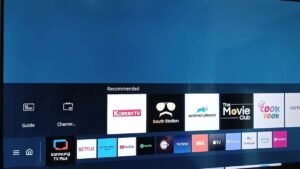
How to exit Samsung TV Plus to cable with remote
How to exit Samsung TV Plus? We have noticed that some Samsung TV users…
Frequently Asked Questions About Samsung Care Centres
Clear, verified answers regarding service center operations, repair costs, software tools, and warranty claims.
How do I find a verified Samsung Care Centre near me?
You can find verified Samsung Care Centre locations across India by browsing our state and city directory or using the GPS locator on our directory page. Each listing includes direct phone numbers, complete street addresses, supported categories (Mobile vs Consumer Electronics/Home Appliances), and live open/closed operating hours.
What services are provided at Samsung Care Centres?
Samsung Care Centres handle in-warranty and out-of-warranty repairs. Services include certified screen replacements, battery renewals, motherboard repairs, charging port fixes, TV panel laser bonding, and doorstep technician visits for home appliances like refrigerators, washing machines, and air conditioners. They also provide One UI software flashing, data transfers via Smart Switch, and warranty claim processing.
What is the average Samsung screen replacement and repair cost?
Screen replacement costs depend on display type. Standard LCD displays for entry-level models range between ₹1,800 and ₹4,500. Super AMOLED panels for Galaxy A/M series range from ₹4,500 to ₹9,500. Premium Dynamic AMOLED 2X and folding displays for Galaxy S and Z Fold/Flip series range from ₹8,500 to ₹35,000+, plus applicable 18% GST and labor charges.
How should I prepare my Galaxy device before visiting a Samsung Care Centre?
Before visiting, we recommend four steps: (1) Run hardware self-diagnostics by dialing *#0*# to test screen touch and sensors; (2) Create a complete data backup using Samsung Smart Switch on your PC or SD card; (3) Enable Maintenance Mode under Settings > Battery and Device Care to keep personal photos and apps private; and (4) Bring your original purchase invoice and remove your physical SIM/MicroSD cards.
Do Samsung Care Centres provide doorstep service for TVs and large appliances?
Yes. For large home appliances including Smart TVs (43-inch and above), double-door and side-by-side refrigerators, front-load washing machines, and inverter air conditioners, Samsung operates mobile technician squads that provide doorstep inspection, parts replacement, and repair services directly at your home.
Is this an official Samsung website?
No. This website operates strictly as an independent consumer directory, repair price estimation portal, and technical knowledge base. It is not owned, operated, sponsored, or endorsed by Samsung Electronics Co., Ltd. or Samsung India. All brand names, logos, and trademarks belong to their respective registered holders.